Description
Download free. Free to download and use, with no key and no time limit.
A return starts as an email: “I want to send the blue one back.” There is no record of which item, how many, or why; no RMA number for the customer to quote; and no status they can look up. So every return generates a second and third email asking where it stands. Meanwhile the store is doing legally sensitive work — return windows, proof, withdrawal rights — by hand, in a spreadsheet.
A returns desk your customers can actually reach
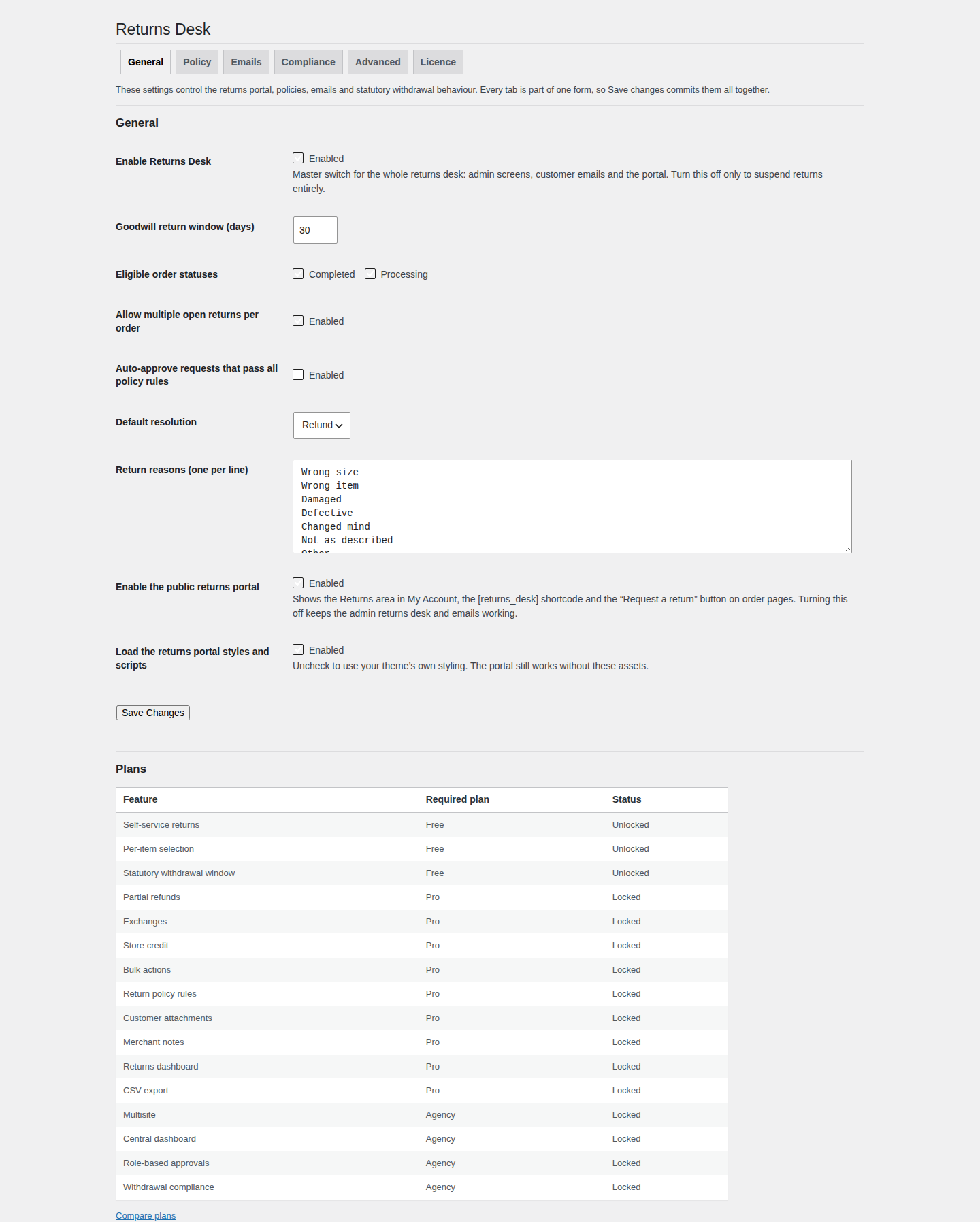
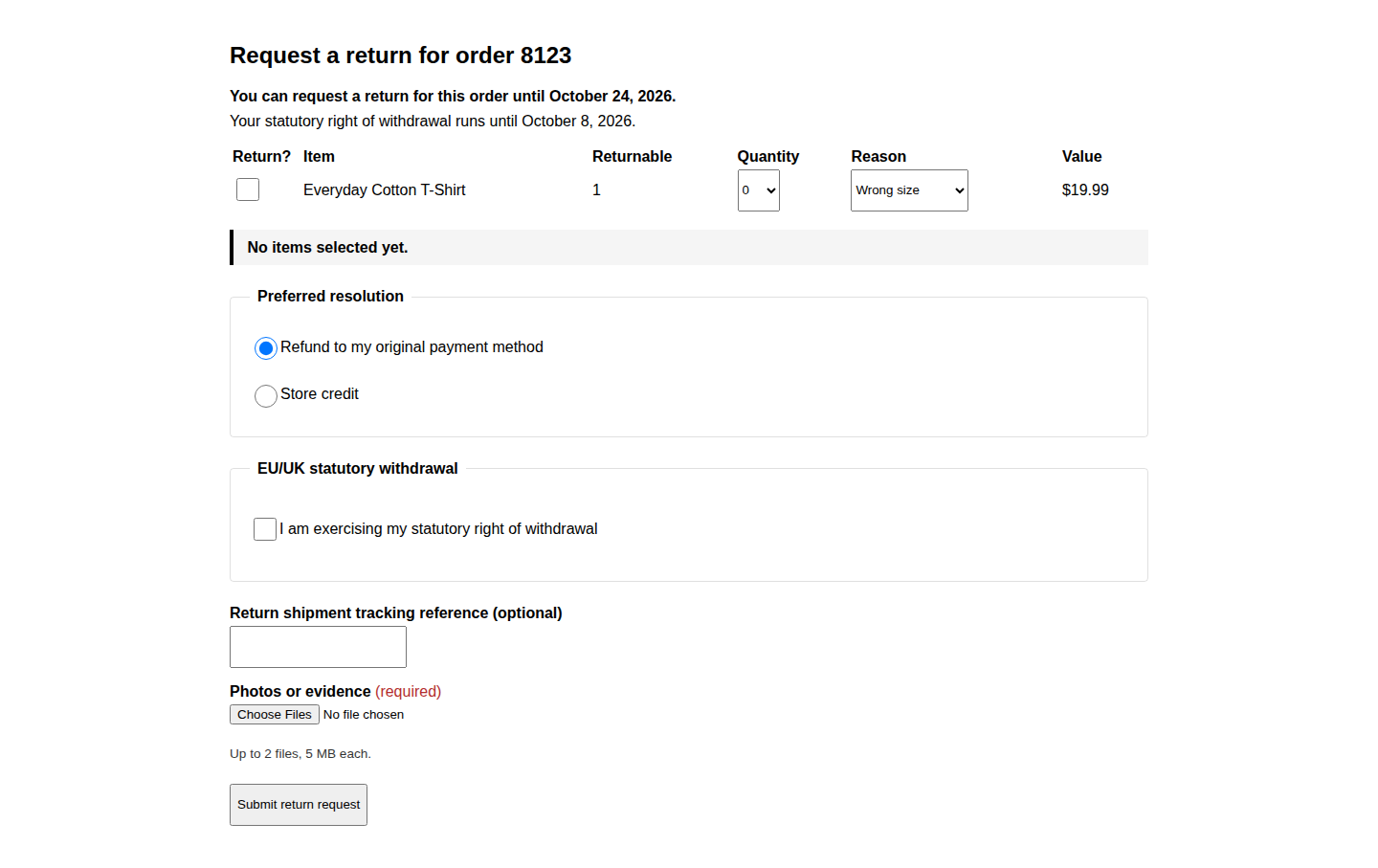
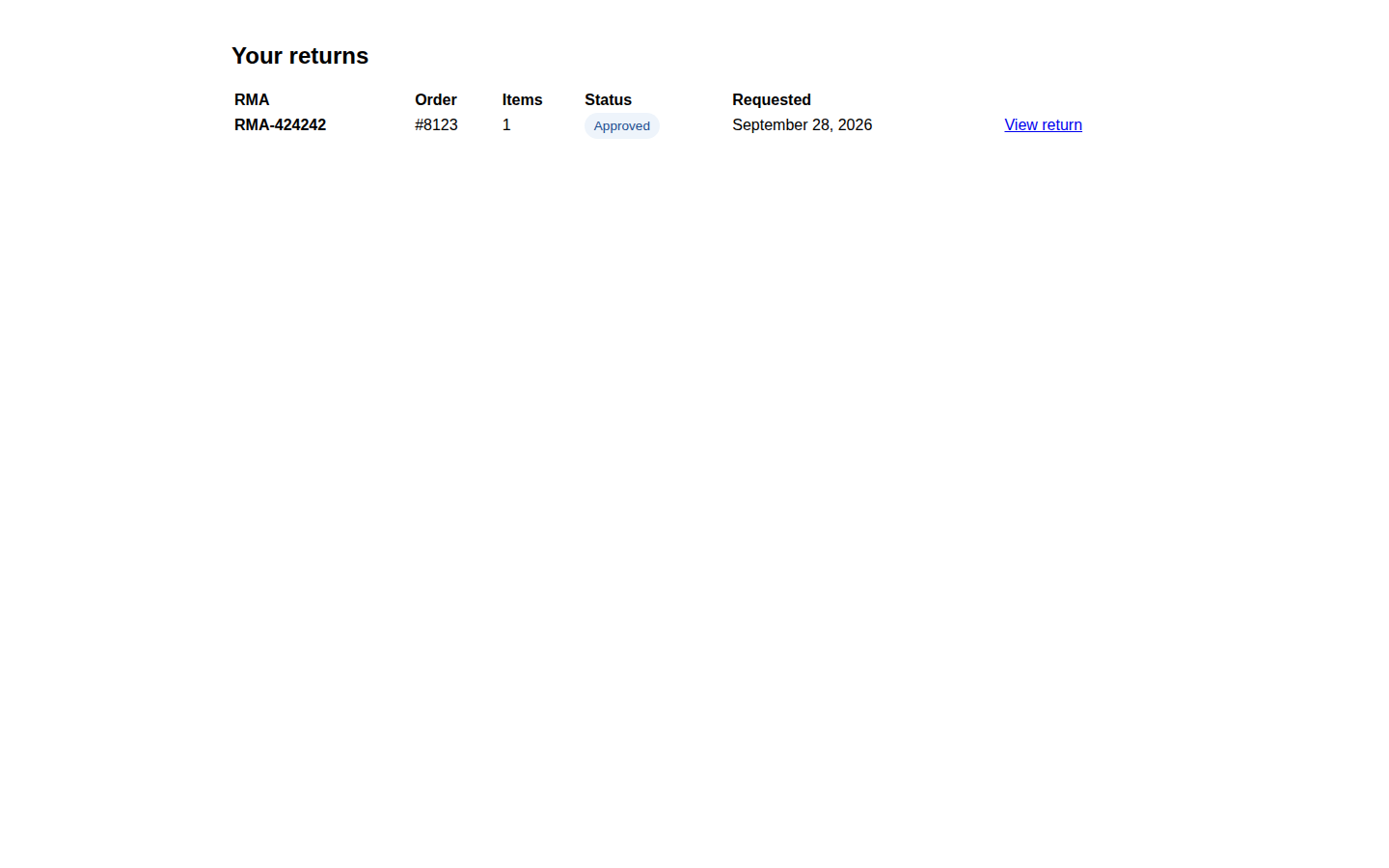
Returns Desk puts a Returns area inside WooCommerce My Account. A logged-in customer opens the order, ticks the exact items and quantities they want to send back, picks a reason per item, and submits. The plugin issues an RMA number, records the request as a private return, and moves it through Requested, Approved, Rejected, Received or Cancelled — with a timeline the customer can see and an email to both sides at every step. You configure the window, the eligible order statuses, the reasons and the policy text.
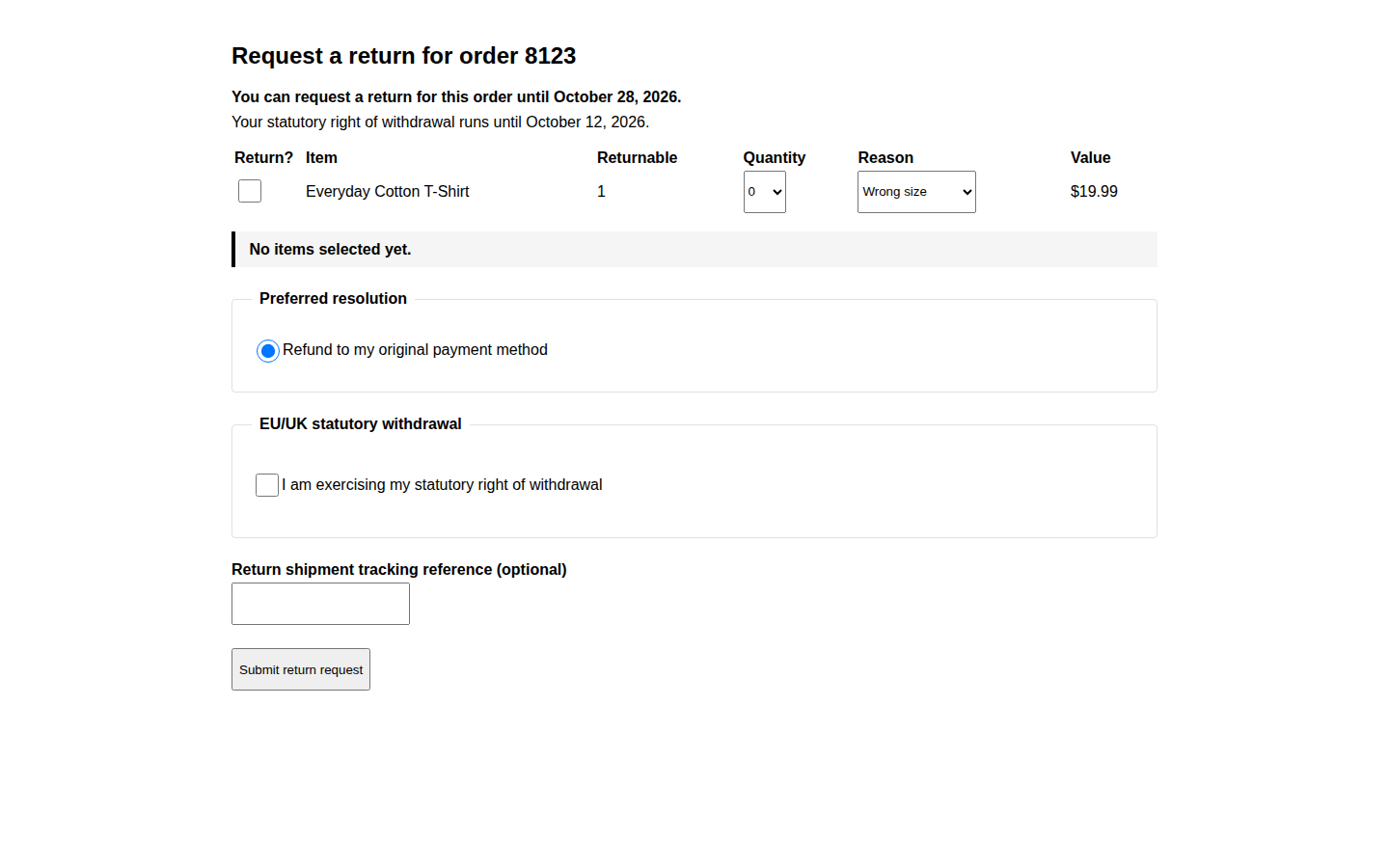
The form is the intake: it records what is coming back and why. It does not move money. Issuing the refund itself stays in WooCommerce, as described below.
A status the customer can check, so the “where is my return?” email stops
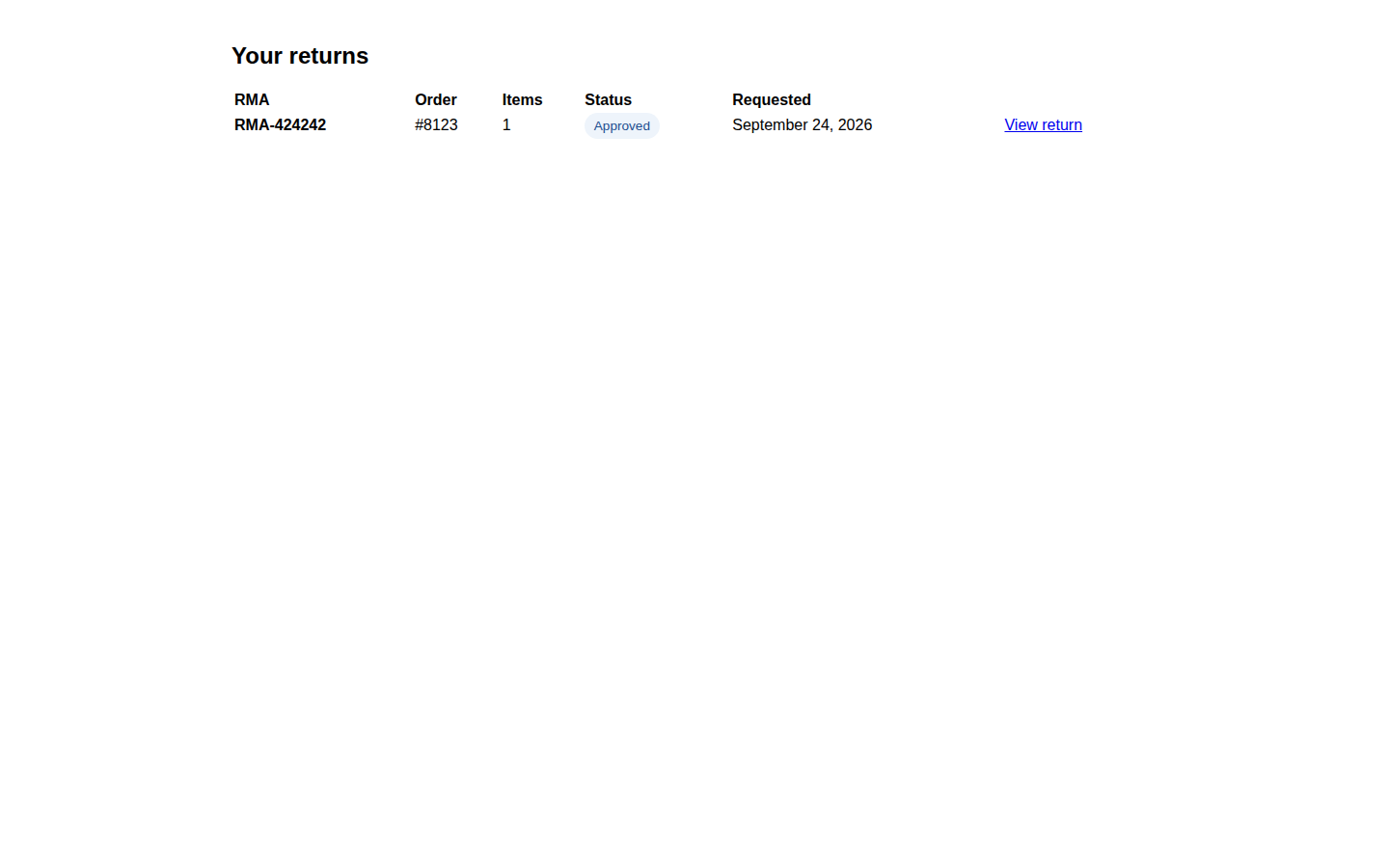
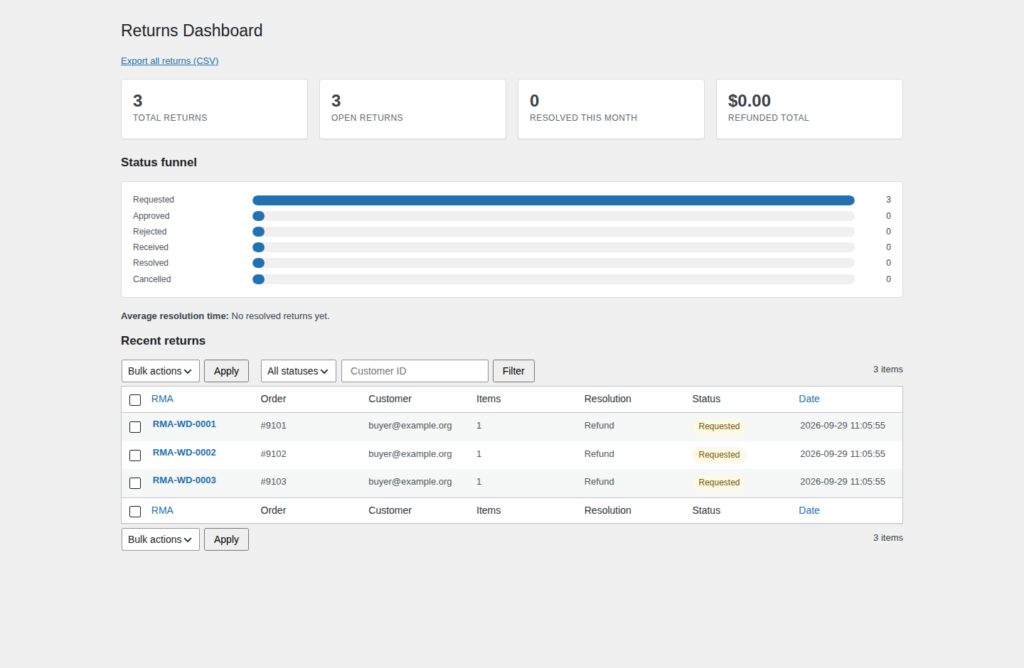
Every request carries an RMA number the customer can quote, and every status change writes to a timeline they can open in My Account. The question moves out of your inbox and into a page they can read for themselves.
The statutory clock, alongside your own window
For EU and UK stores a goodwill returns policy is not the whole duty: consumers have a 14-day statutory right of withdrawal running from delivery. Returns Desk runs that as a second clock alongside your shop’s own window, each with its own deadline shown on the form, and records the request as a statutory withdrawal when the customer declares it. It is part of the free download, not an extra — and it is tooling, not legal advice.
What Returns Desk does not do: it does not move money
Issuing the money stays where it belongs: you refund from WooCommerce’s own order screen. Returns Desk gives you the request, the RMA number and the trail that tells you what to refund. This free download does not issue refunds, exchanges or store credit, and it cannot mark a return Resolved; those capabilities are outside the free intake workflow. You keep full control of the money in the WooCommerce screen you already use.
What is in the free download
- A self-service returns portal in WooCommerce My Account for classic and shortcode themes, plus a
Please log in to view your returns.
- A per-item request form with a quantity selector capped at the unreturned quantity, and a reason per item.
- An RMA number on every request, with a configurable prefix.
- Statuses Requested, Approved, Rejected, Received and Cancelled, with a customer-facing timeline.
- Automated customer and admin emails when a request is opened and on every status change.
- A configurable goodwill return window and eligible order statuses.
- EU/UK statutory withdrawal mode: a second 14-day clock alongside the goodwill window, with a withdrawal declaration on the request form.
- The reasons you accept and the policy text you show, both configurable.
- Full translation support and an opt-in debug log.
Why you can trust it under the hood
- HPOS declared and compatible. Orders are read and written through WooCommerce’s own order API, so returns behave identically whether high-performance order storage is on or off.
- Returns are posts, not a custom table. Every return is stored as a private post type in your own database, so the records are portable and independent of where orders live.
- No runtime Composer dependencies and no external service. Nothing is bundled that needs a build step, and the free workflow runs entirely on your site.
- No key, no outbound request. With no key entered, the plugin makes no outbound request at all, and the free download needs no key.
- Safe with WooCommerce off. If WooCommerce is deactivated, the plugin shows an admin notice and stays idle instead of fataling, and registers nothing that would half-work.
How it works
- Install and set the policy. Activate the plugin, then set the return window, eligible order statuses, the reasons you accept and your policy text on Returns Desk → Settings.
- The customer opens a request. They pick the order in My Account, tick the exact items and quantities, choose a reason for each, and submit, with the statutory withdrawal declaration where it applies.
- Both sides get an email. The request is stored with its RMA number and items, and the customer and the store are notified immediately.
- You decide, and the customer can see it. Approve or reject from the return screen; the customer sees the status and timeline in My Account, and every change is emailed.
- You refund in WooCommerce. When you are ready to pay the money back, you do it from WooCommerce’s own order screen, with the return in front of you telling you exactly what to refund.
Requirements
- WordPress 6.0 or higher.
- PHP 7.4 or higher.
- WooCommerce required for the returns workflow. With WooCommerce deactivated the plugin still loads, shows an admin notice and registers nothing that would half-work, instead of fataling.
- HPOS declared compatible; orders are read through
wc_get_order(), never from the posts tables.
Free to download and use
Returns Desk is free to download and use, with no key and no time limit. There is no price, no cart and no checkout, and no account is needed to download or install the plugin: you install the ZIP and configure it on your own site. It is the complete plugin for the intake and the trail it provides.
Questions buyers ask
Does it refund for me?
No. Returns Desk records the request, the items, the reason and the trail; you issue the refund from WooCommerce’s own order screen. This free download does not issue refunds, exchanges or store credit, and it cannot mark a return Resolved.
Do my customers need an account?
Yes. This version is account-based: the Returns area appears for logged-in customers in My Account. Guest returns are not part of it.
Will it work with my theme?
The My Account endpoint covers classic themes. Block themes use the Please log in to view your returns.
What if WooCommerce is deactivated?
Nothing fatals. The plugin shows an admin notice and stays idle, and it registers no return post type, endpoint, email or scheduled job.
Does it phone home?
With no key entered there is no outbound request at all, and the free download needs no key. Return data stays in your own WordPress database and emails go through your site’s normal mail system.
Does it work with HPOS?
Yes. Returns Desk declares compatibility with WooCommerce High-Performance Order Storage, and every order read or write goes through the WooCommerce order API rather than the posts tables.
Where is my data stored?
In your own WordPress database, on your own server. Return requests, their items and their status history stay there; the plugin sends no analytics or telemetry.
Can I use it on client sites?
Yes. It is released under the GPL, so you can install it on as many sites as you maintain.
Do you offer refunds?
There is nothing to refund: the plugin costs nothing and takes no payment details. If this store ever charges you for an order, that order is covered by the store’s published refund policy.
Where do updates come from?
This free plugin is delivered as a download from this store. The version you download is the version you have, and a later release is published on this page. Nothing expires and nothing stops running.
Download free and give your customers a returns portal they can actually use.
Reviews
There are no reviews yet.