Description
A return that has arrived is not a return that is resolved
A return reaches your inbox, and somebody still has to decide what the customer actually gets. Not the whole order — two of the four items. A partial refund, a replacement, store credit, or nothing sent back at all. Done by hand, that decision means editing the order, guessing at the tax, remembering to correct the stock, and having no real record of who approved what. Returns Desk gives your customers a clean way to start the return and follows it from Requested to Received; the free workflow deliberately stops there, because the step that moves money needs policy around it and a record behind it.
Returns Desk Pro is the resolution layer: a separate add-on that plugs into the free Returns Desk plugin and turns an arrival into a closed, documented outcome. It requires Returns Desk to be installed and active, adds no workflow of its own, and replaces nothing. The free plugin is available at tillfoundry.com/product/returns-desk/.
Decide the outcome, and let WooCommerce handle the money
Pick a resolution for the items that came back, and Pro carries it into WooCommerce through the supported path, so orders, reports, gateways, tax figures and stock stay correct:
- Partial refunds are created with WooCommerce’s own refund API, per item and per quantity.
- Exchanges become a linked draft replacement order, with the customer’s addresses copied across and both orders tied together.
- Store credit is issued as a single-use, email-restricted WooCommerce coupon, with its expiry written when the coupon is created.
- Keep-it resolutions close a return without anything being shipped back.
When the decision is made you mark the return Resolved and close it — the status the free workflow cannot reach. Merchant notes stay internal, and every change is written to an audit log on the return.
Policy first, so the exceptions are decided once
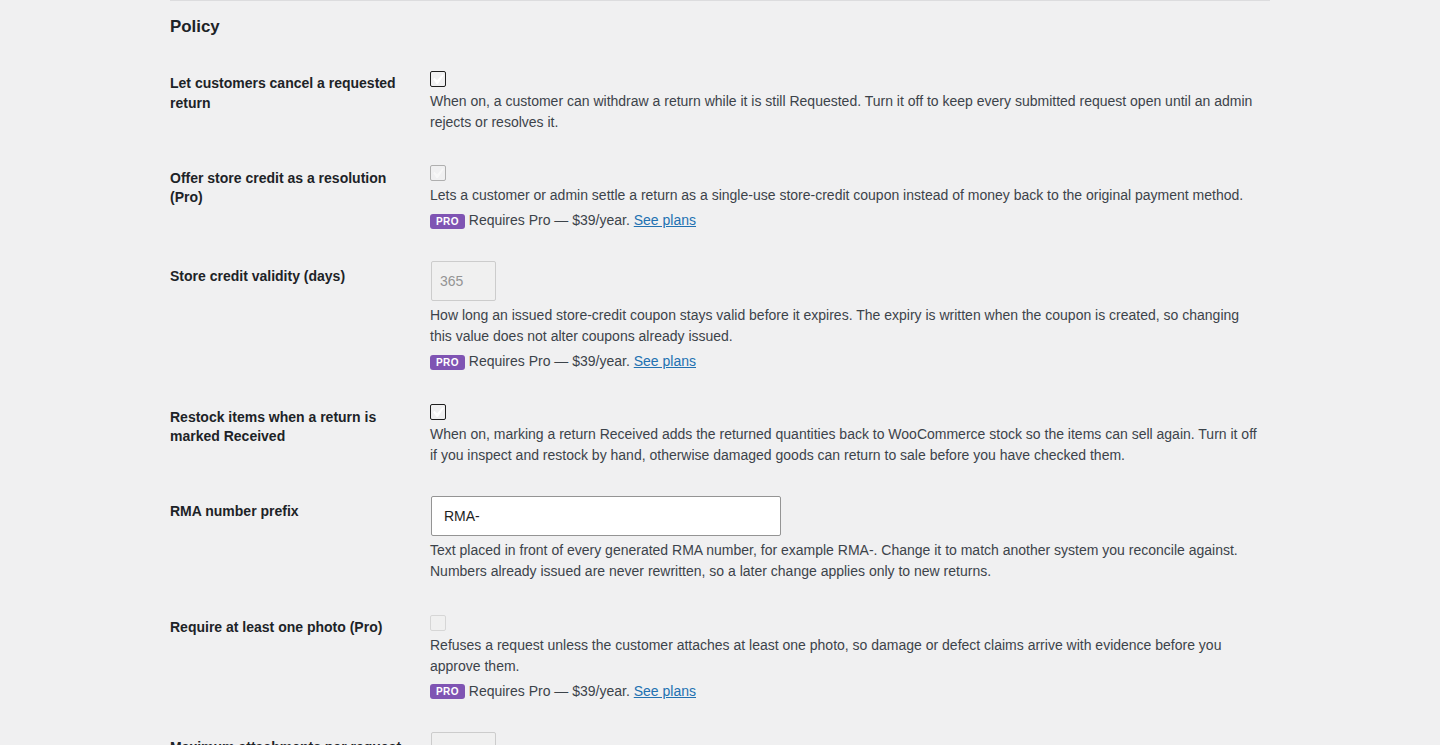
Refunds are where goodwill and abuse can look identical. Pro lets you set the rules up front: exclude categories or products from returns, require photo evidence before a request can be approved, allow keep-it resolutions, and cap the refundable amount. The rules apply on the way in, rather than after somebody has already promised the money back.
Evidence, notes and a trail you can stand behind
Customers can attach photos and PDFs to a return, validated on upload and kept in the WordPress media library. A later upload appends to the return instead of replacing what is already attached, and a rejected file comes back to the customer with its own reason. Internally, merchant notes record what was agreed, and the audit log records what was done and by whom.
See the returns operation, not just the queue
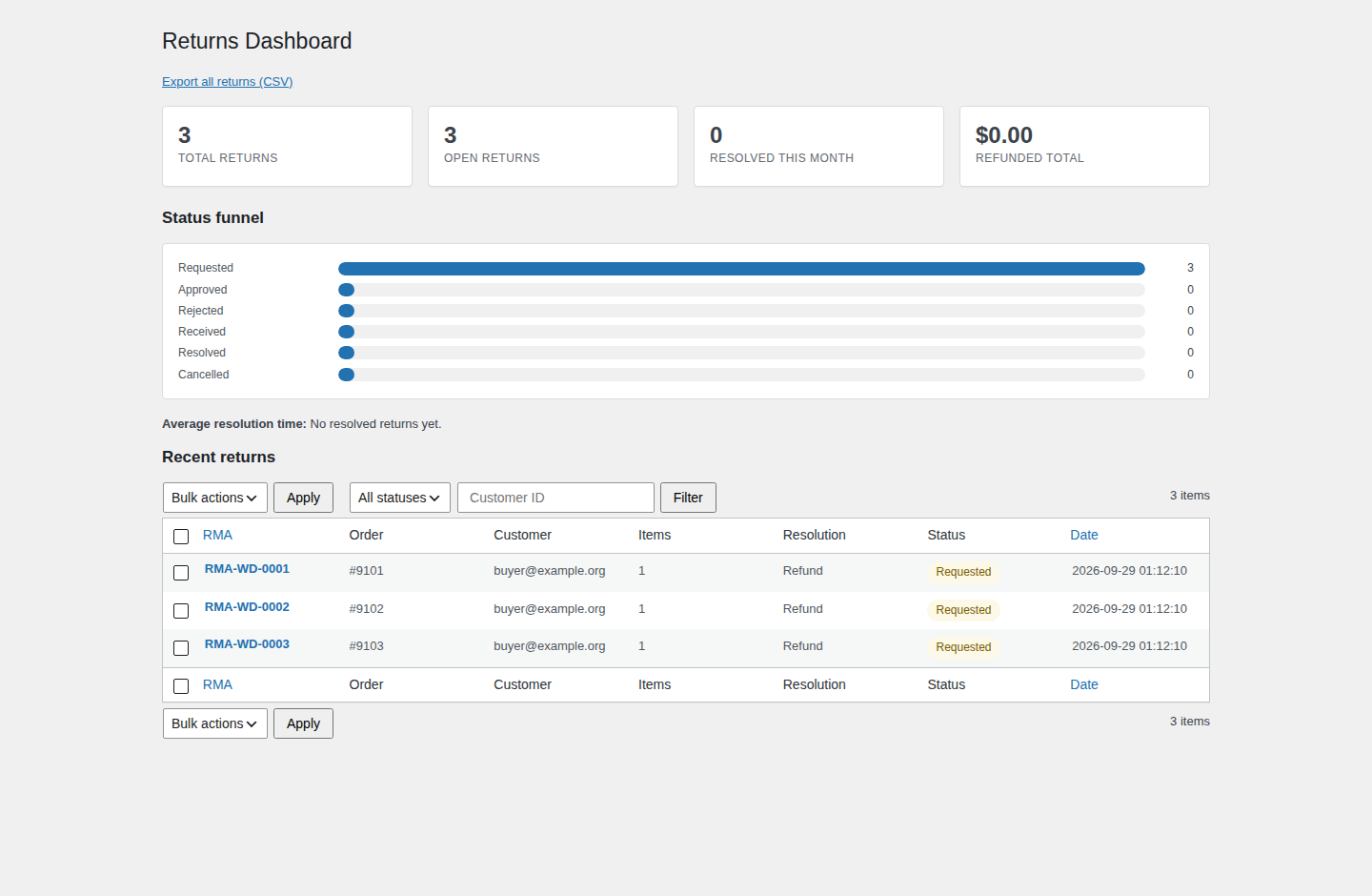
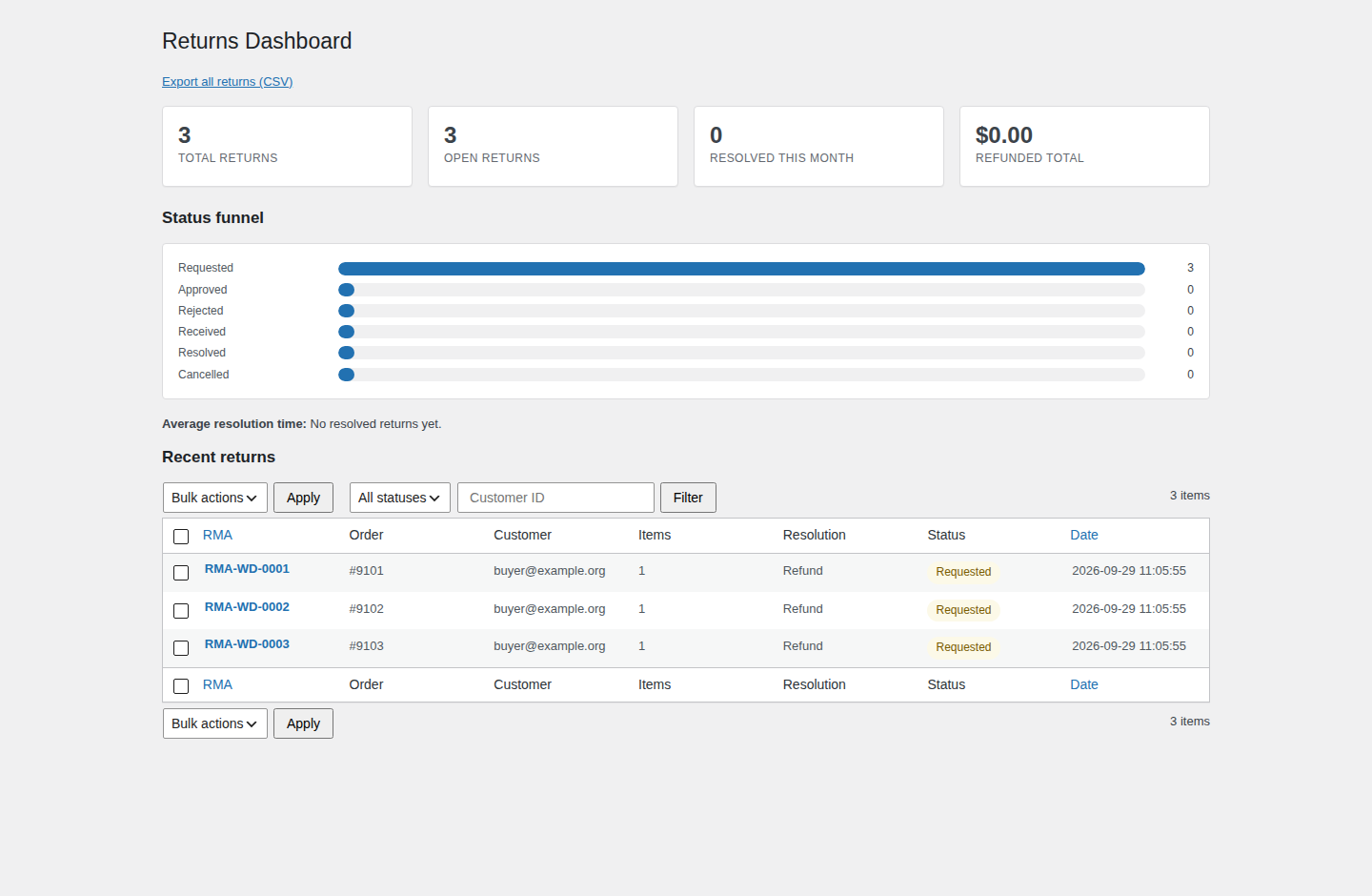
The returns dashboard turns the list into numbers: request volume, a status funnel, average resolution time, the refunded total, and the recent returns that need attention. Bulk approve and refund clears the backlog in one action, and the streamed CSV export writes the register out with spreadsheet-formula protection, so a customer’s text cannot turn into a formula in your accounting import.
Agency: the same workflow across every store you run
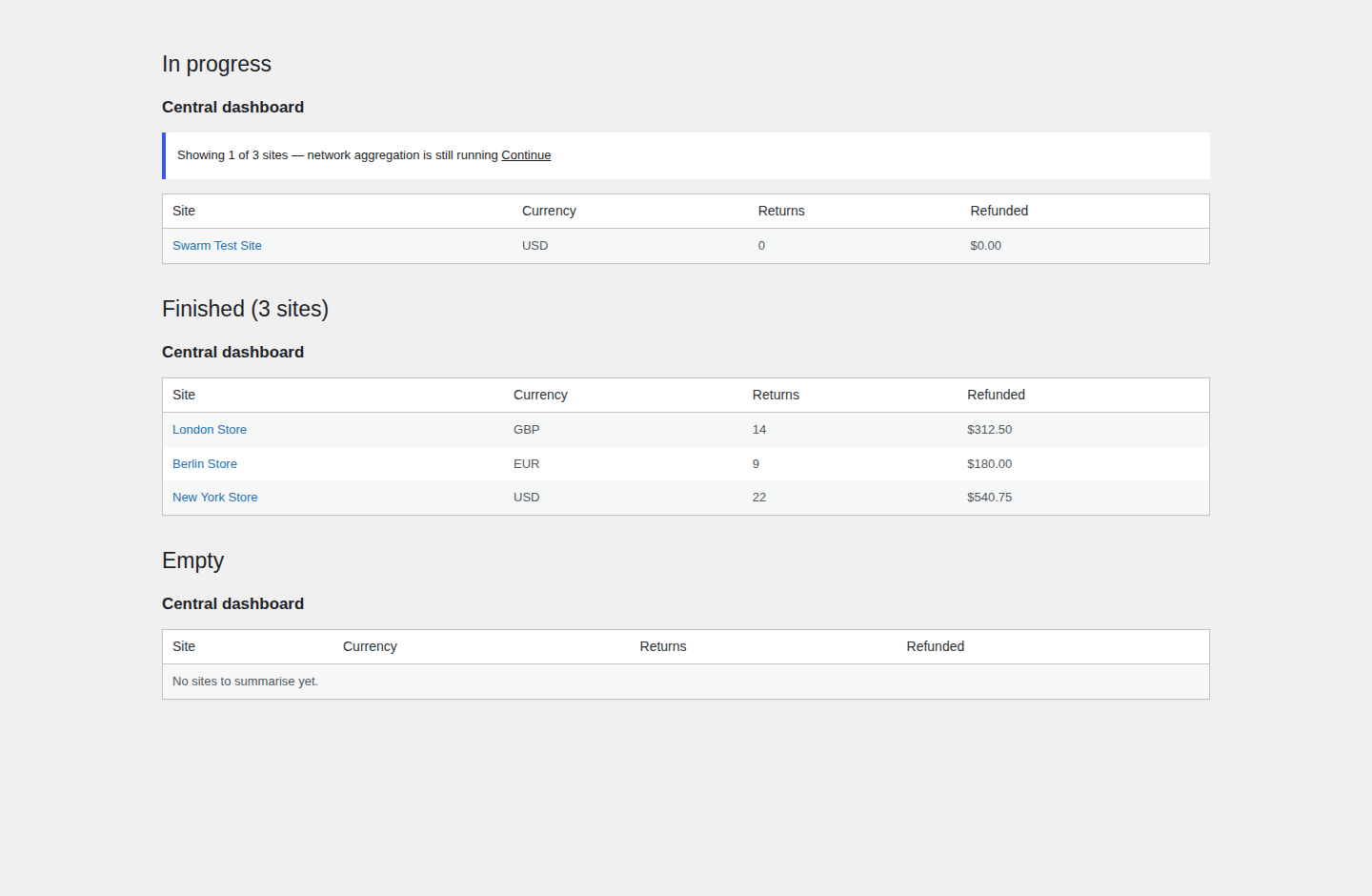
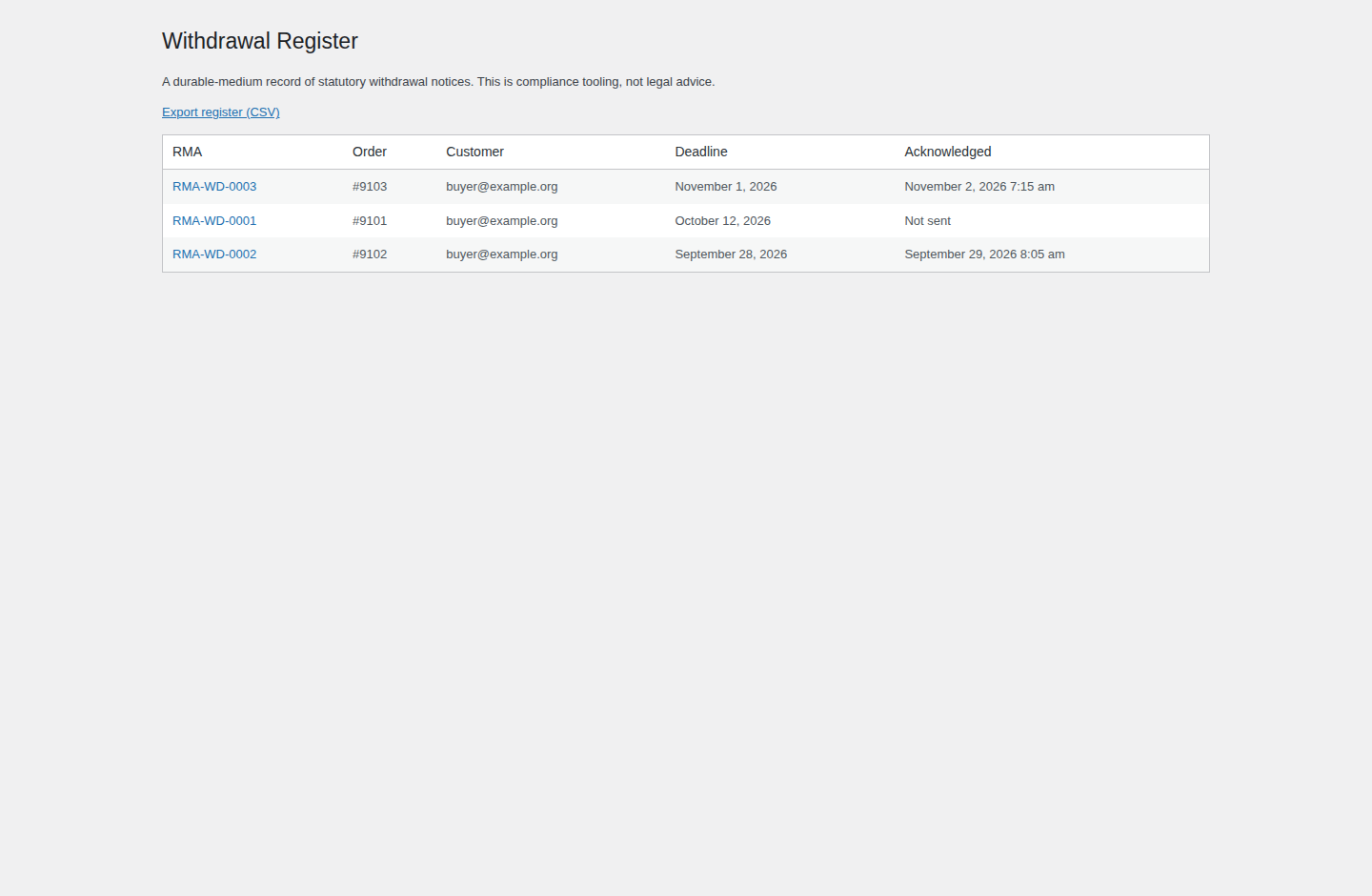
The Agency licence is for people who run returns for more than one store. It turns on multisite and multi-store support with per-site settings, branding and RMA sequences; a central returns dashboard that lists client sites with each row in its own currency; role-based approval workflows with a dedicated approve capability, so a store manager can process a return without also being able to authorise the refund; and the EU/UK withdrawal helper — a model withdrawal form, a durable-medium acknowledgment log, and an exportable withdrawal register.
Features by tier
Intake is free and stays free. Resolution, policy and reporting are what the licence buys.
| Capability | Free Returns Desk | Pro | Agency |
|---|---|---|---|
| Self-service returns portal in My Account | Yes | Yes | Yes |
| Per-item request form with a quantity cap | Yes | Yes | Yes |
| RMA number and a customer-facing status timeline | Yes | Yes | Yes |
| Customer and admin emails, configurable return window and reasons | Yes | Yes | Yes |
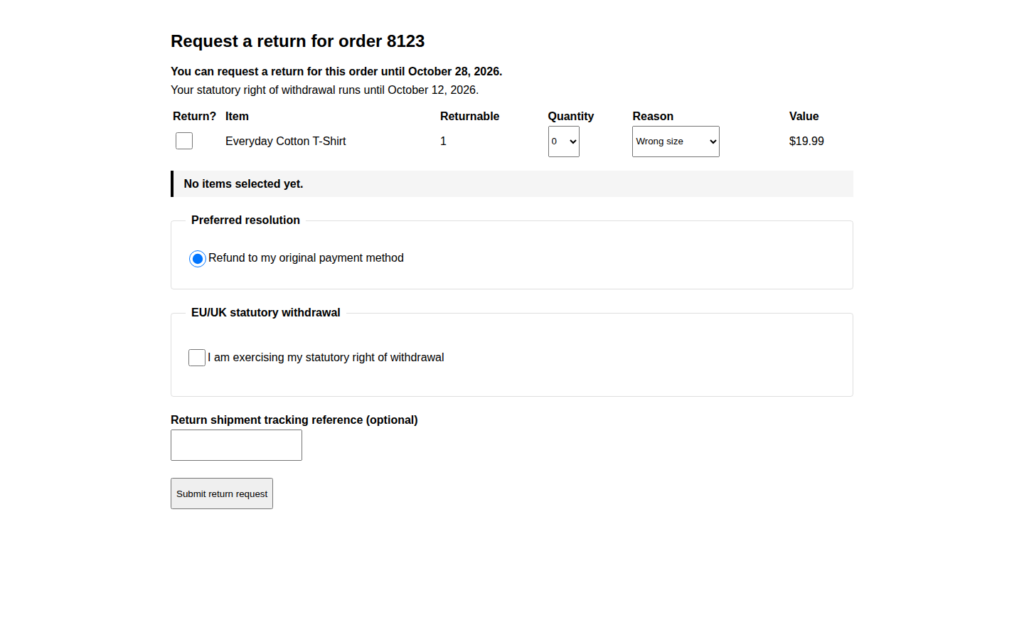
| EU/UK statutory withdrawal clock on the request form | Yes | Yes | Yes |
| Per-item partial returns and partial refunds through WooCommerce’s own refund API | — | Yes | Yes |
| Resolve and close a return (the Resolved status) | — | Yes | Yes |
| Exchanges as linked draft replacement orders | — | Yes | Yes |
| Store credit as a single-use, email-restricted WooCommerce coupon | — | Yes | Yes |
| Bulk approve and refund from the returns list | — | Yes | Yes |
| Policy rules: exclusions, required photo evidence, keep-item resolutions, refund caps | — | Yes | Yes |
| Customer photo and PDF evidence, validated on upload | — | Yes | Yes |
| Internal merchant notes and a full audit log on every return | — | Yes | Yes |
| Returns dashboard: request volume, status funnel, average resolution time, refund totals | — | Yes | Yes |
| Streamed CSV export with spreadsheet-formula protection | — | Yes | Yes |
| Multisite and multi-store support with per-site settings, branding and RMA sequences | — | — | Yes |
| Central dashboard across client sites, each row in its own currency | — | — | Yes |
| Role-based approval workflows with a dedicated approve capability | — | — | Yes |
| EU/UK withdrawal helper: model form, durable-medium acknowledgment log, exportable register | — | — | Yes |
How it works
- Install the free plugin first. Returns Desk Pro is an add-on; it needs TillFoundry Returns Desk installed and active.
- Add the licence. Paste the key from your order email into Returns Desk → Settings → Licence. The paid capabilities switch on; with no key the free workflow keeps running.
- Let the return arrive. A customer requests a return and it moves through the free workflow to Received.
- Choose the resolution. From the returns list, open the return and pick the outcome per item — partial refund, exchange, store credit or keep.
- Resolve and close. Mark the return Resolved. The audit log, dashboard and export record what happened, and WooCommerce holds the resulting refund, draft order or coupon.
Requirements
- TillFoundry Returns Desk (the free plugin), installed and active.
- WooCommerce, active. The add-on loads safely without it, but the returns workflow needs it.
- WordPress 6.0 or higher.
- PHP 7.4 or higher.
- WooCommerce High-Performance Order Storage (HPOS), on or off — Returns Desk Pro is compatible either way.
Frequently asked questions
Does it work with HPOS?
Yes. It is compatible with WooCommerce High-Performance Order Storage and works with HPOS switched on or off; order reads and writes go through the WooCommerce order API rather than the posts tables.
What happens when my licence expires?
The add-on’s capabilities are licence-gated. A year is what the licence covers, and renewing keeps the paid capabilities enabled. When the licence lapses they stop being enabled, and nothing about your returns data is touched — the returns, notes, evidence and audit log stay in your database.
Does the free version stop working?
No. Returns Desk is a separate, free plugin with no key and no time limit; it works on its own and is not affected by the add-on’s licence. The paid capabilities are the extra layer on top.
Can I use it on client sites?
Yes. Pro covers one site; Agency covers five and adds multisite and multi-store support with per-site settings, a central dashboard and role-based approvals. The plugin is GPL, so you can install and modify it on the sites your licence covers.
Do you offer refunds?
Purchases are covered by this store’s published refund policy. If an order gives you trouble, contact [email protected] and we will sort it out.
Where is my data stored?
Return requests, resolutions, evidence attachments, merchant notes and the audit log live in your own WordPress database, and attachments are kept in your media library. No analytics or telemetry is collected.
About the licence
Each tier is an annual licence that runs for 365 days from the order date: Pro is $39 per year for one site and Agency is $99 per year for five sites. The year covers plugin updates and email support; there is no auto-renewal, nothing is charged automatically, and renewal is a new annual licence from this store. Your key arrives by email with the download, and it is entered on the free Returns Desk plugin’s Licence tab at Returns Desk → Settings → Licence — the add-on registers no licence screen of its own. While a valid key is stored, the add-on’s own updater checks the TillFoundry server and offers new versions through the normal WordPress update screen. Returns Desk Pro is sold only through this store and is not listed in the WordPress.org plugin directory, so those updates come from TillFoundry rather than from WordPress.org. If the licence lapses, the paid capabilities switch off and no further updates are served, but nothing is deleted: the returns, resolutions, evidence, merchant notes and audit log already recorded stay in your database, and the free Returns Desk workflow keeps running. Renewing turns the paid capabilities back on.
Reviews
There are no reviews yet.