Description
You find out when checkout starts failing. WooCommerce’s scheduled-actions screen is a flat list of rows: it will not tell you which hook is failing or flooding the queue, how fast a backlog is growing, or that the queue runner has quietly stopped. By then the damage is done — payment callbacks, fulfilment pushes and order emails have stopped going out, and it is customers who tell you.
Every WooCommerce background job runs through Action Scheduler: marketing and CRM sync, ERP and 3PL pushes, subscription renewals, review requests, email follow-ups and importers. One misbehaving integration can enqueue hundreds of thousands of actions, or fire them in a tightening loop, consuming PHP workers and hammering the database until the store slows, times out or returns errors. The list shows that work exists; it does not name the integration responsible. So the same outage returns month after month because nobody could see which hook was guilty.
What Scheduler Watchdog does
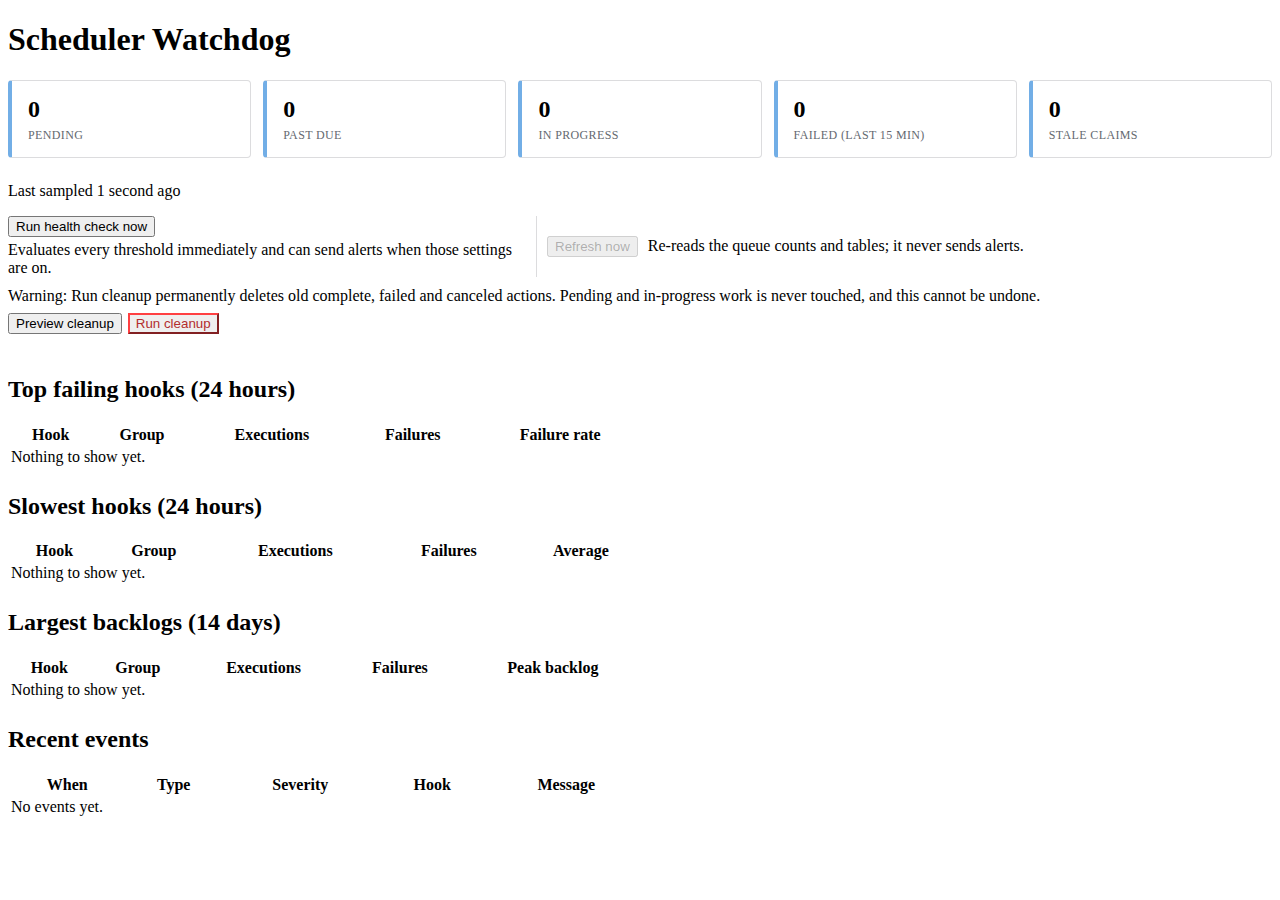
Scheduler Watchdog sits beside Action Scheduler and watches the queue continuously. One screen shows pending, past-due, in-progress and failed-in-window counts, the hooks failing most often, the slowest hooks and the largest backlogs.
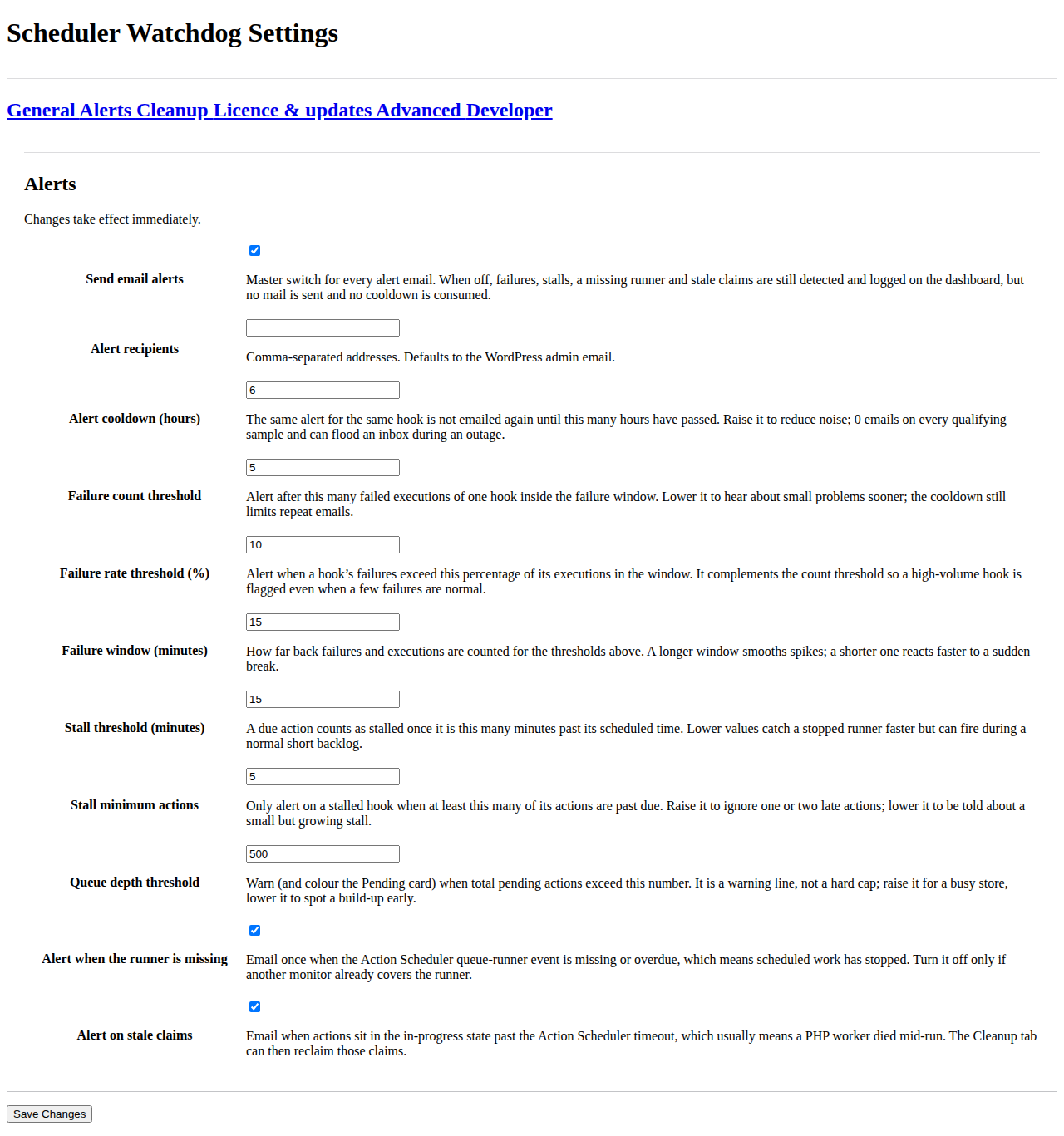
- Email alerts that name the hook. When an action fails, a hook stalls past its due time, the queue runner is missing or overdue, or an action sits in-progress past the timeout, the plugin emails your recipients with the hook, the group, the action ID and the observed value against the threshold. A per-alert cooldown stops one bad night becoming an inbox outage.
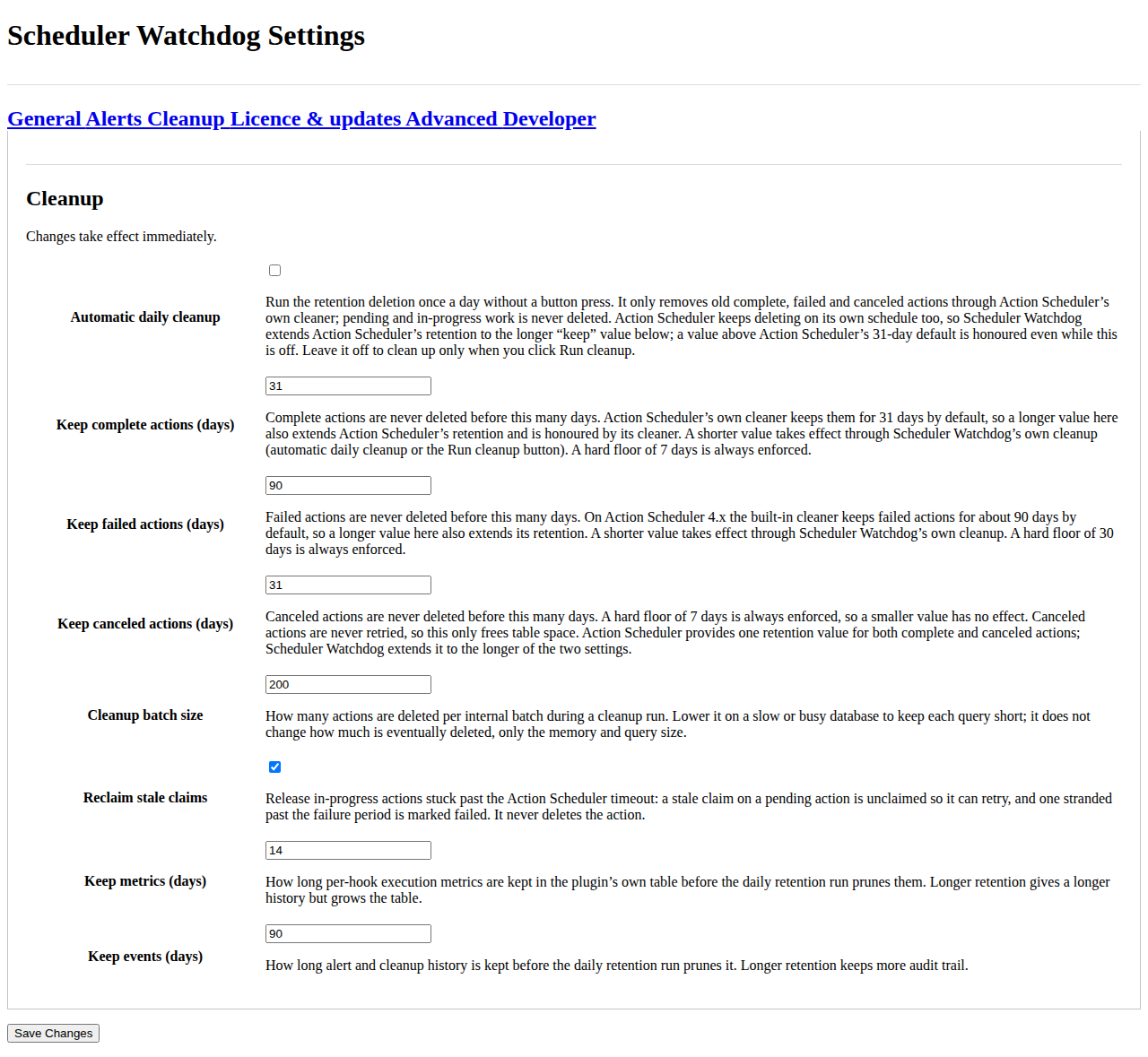
- Safe cleanup. Old complete, failed and canceled actions are removed through Action Scheduler’s own cleaner, never a raw delete. There are hard minimum ages of 7 days for complete and canceled actions and 30 days for failed actions, and a preview shows what would be removed first.
- Stale-claim recovery. Actions stuck in-progress past the Action Scheduler timeout are returned to the queue so the work keeps moving.
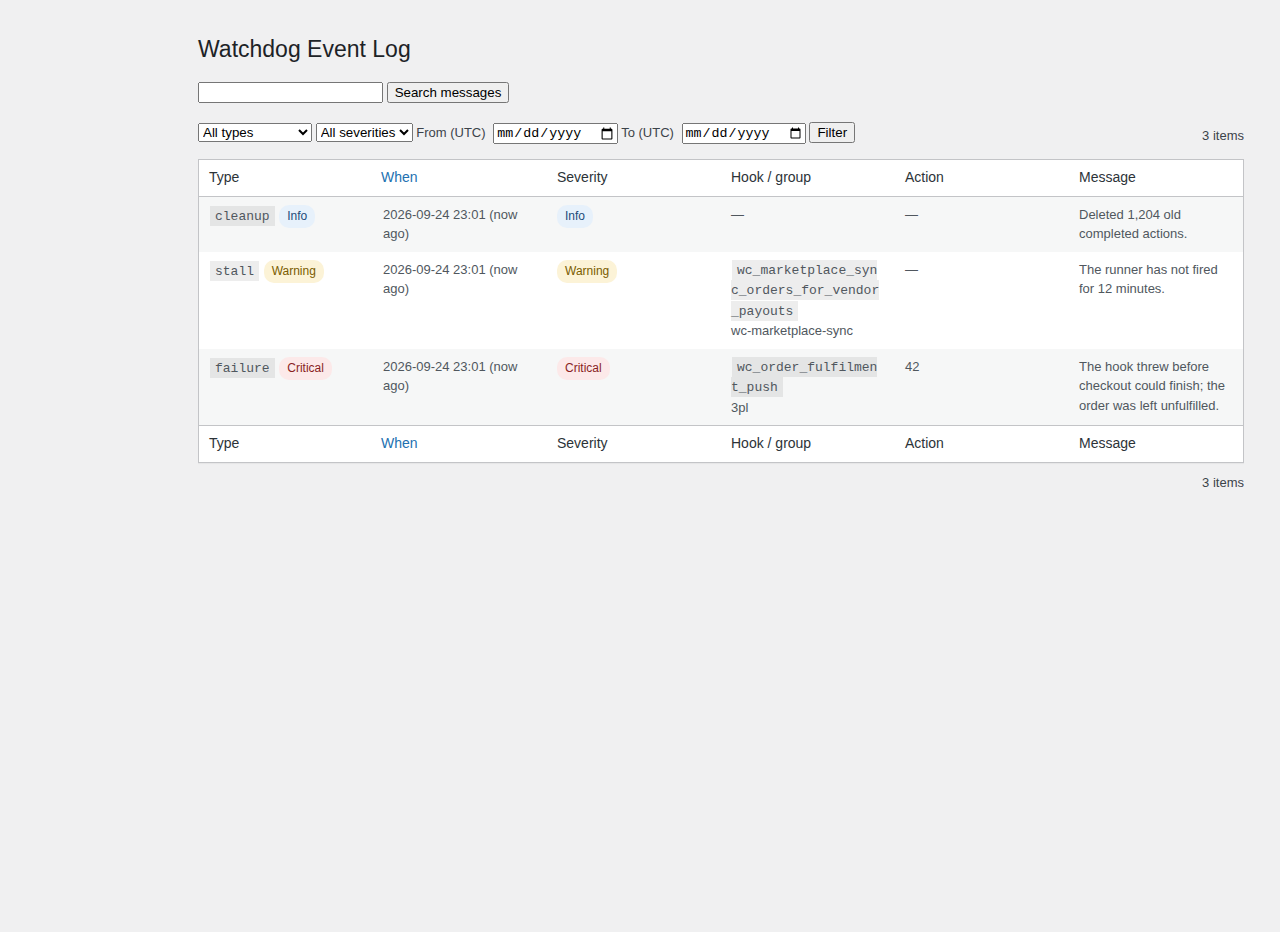
- An event log and a dashboard widget. Every alert and cleanup is recorded with its type, severity, hook, action ID and message, filterable by type, severity, hook and date.
It never touches orders or customers
Scheduler Watchdog is deliberately narrow. It operates only on Action Scheduler’s own queue:
- It does not read or write orders, order items, refunds or customer records.
- It is HPOS compatible and declares it; WooCommerce → Status → Compatibility lists it as compatible.
- It works with Action Scheduler 3.9.x and 4.x, bundled inside WooCommerce or installed standalone.
- There is no telemetry and no external alerting service. On a normal install it contacts nothing at all.
- A longer retention setting is honoured by Action Scheduler’s own cleaner too, so history is not silently cut at 31 or 90 days.
Clean up without losing work
Cleanup goes through Action Scheduler’s own cleaner rather than deleting rows directly. Only old complete, failed and canceled actions are eligible, and the hard minimum ages always apply whatever the setting says. Pending and in-progress work is never touched, stale claims can be reclaimed, and a preview shows the count before you commit.
Everything is included
The complete plugin is free: every feature below ships in this download, with no key, no account and no time limit. Nothing is held back and no capability switches off.
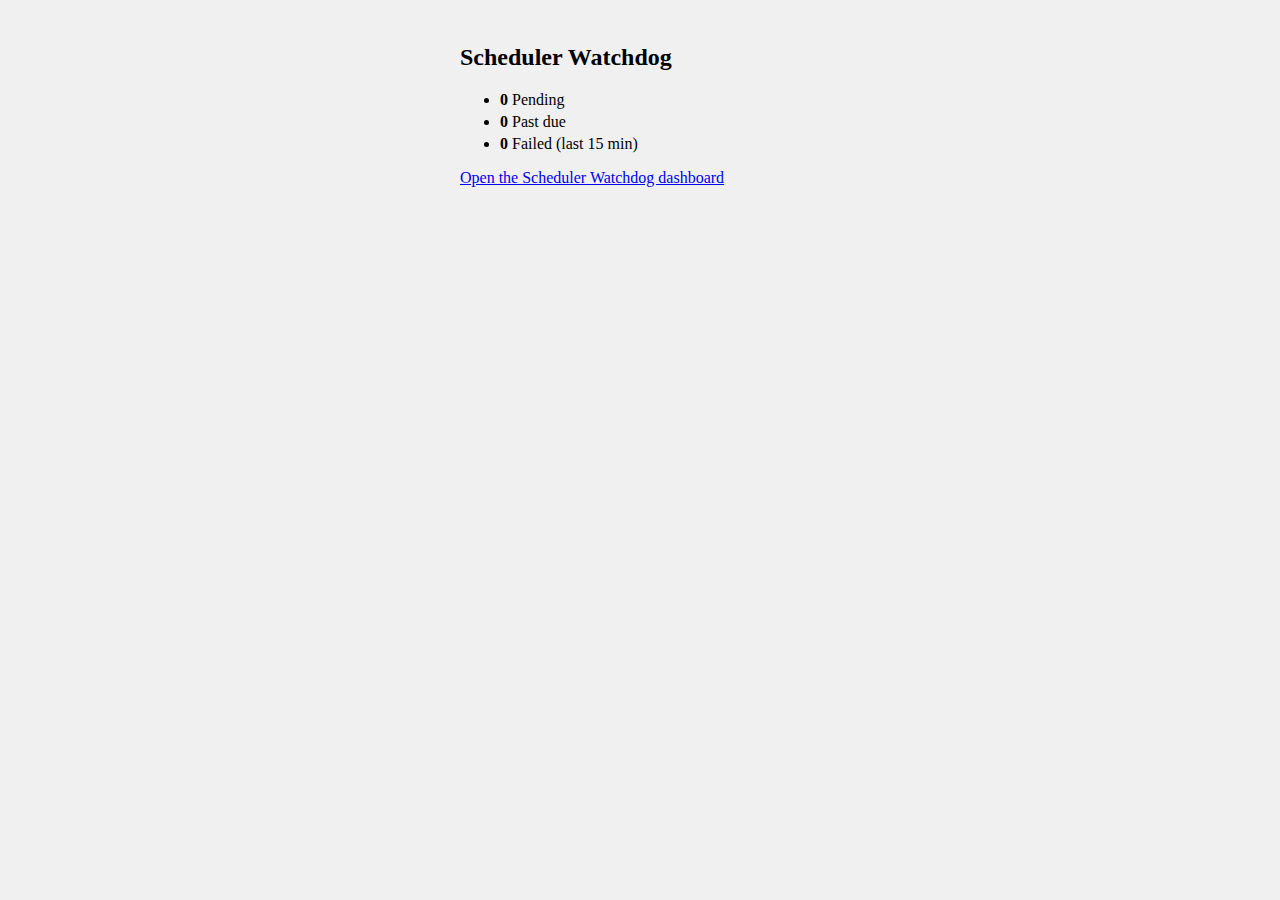
- Queue health dashboard with pending, past-due, in-progress, failed-in-window and stale-claim counts, plus a WordPress dashboard widget.
- Top failing hooks, slowest hooks and largest per-hook backlogs on one screen.
- Email alerts for failed actions, stalled or past-due hooks, a missing or overdue queue-runner event, and stale in-progress claims.
- Configurable recipients, thresholds, failure window and per-alert cooldown.
- Safe, retention-based cleanup of old complete, failed and canceled actions, one click or on a daily schedule, with a preview.
- Stale-claim recovery and an event log filterable by type, severity, hook and date.
How it works
- 1. Install and switch it on. It finds Action Scheduler and starts sampling on a one-minute schedule; the defaults are sensible.
- 2. Watch. The dashboard shows queue depth, per-hook backlog, failures, durations, runner state and stale claims, and samples once on page shutdown when WP-Cron is late.
- 3. Get alerted. When a threshold is crossed or the runner goes missing, it emails your recipients once, then stays quiet for the cooldown.
- 4. Clean up. On the daily retention run it prunes its own metrics and, if you enable it, removes only old complete, failed and canceled actions through Action Scheduler’s own cleaner.
- 5. Investigate. Open the dashboard or the event log to see the hook, the observed value and the threshold that fired, then fix the integration behind it.
Requirements
- WordPress: 6.0 or higher.
- PHP: 7.4 or higher.
- Action Scheduler: 3.9.x or 4.x. This is the real dependency and it ships inside WooCommerce, so on a normal store it is already present. If it is absent the plugin stays inert, shows a notice and registers only its settings screen.
- WooCommerce: optional. Without it, monitoring, alerting and cleanup still run, and the plugin’s menu moves to Tools.
- HPOS: compatible. The plugin never touches order storage, so behaviour is identical with High-Performance Order Storage enabled or disabled.
Frequently asked questions
Will it delete my jobs?
No. Cleanup only ever removes old complete, failed and canceled actions, through Action Scheduler’s own cleaner, with hard minimum ages of 7 days for complete and canceled actions and 30 days for failed actions. A preview shows exactly what would be removed first, and pending or in-progress work is never touched.
Does it need WooCommerce?
No. Action Scheduler is the real dependency, and WooCommerce bundles it, so on a normal store it is already there. If you run Action Scheduler standalone, monitoring, alerting and cleanup all work; only the WooCommerce-specific parts are skipped. When Action Scheduler itself is missing, the plugin stays inert and shows a clear admin notice instead of failing.
Will it slow my store down?
The hot path writes to memory and flushes once per request. The fallback sampler is throttled to once a minute, the dashboard caps how many hooks it reads, and per-hook metrics are pruned after 14 days by default.
Does it phone home?
No telemetry and no external alerting service. On a normal install the plugin makes no outbound request at all.
The built-in scheduled-actions list already exists — why this?
Because that screen is a flat list. It will not tell you which hook is responsible, how fast a backlog is growing, or that the queue runner has stopped. If you only look at the queue occasionally, the built-in list may be enough.
Does it work with HPOS?
Yes. It operates on Action Scheduler’s own queue and never reads or writes order data, so it behaves identically whether orders are stored the traditional way or in HPOS. WooCommerce → Status → Compatibility lists it as HPOS compatible.
Does it expire or stop working?
No. The download has no key, no account and no time limit. The dashboard, email alerting and safe cleanup are included in full and do not switch off.
Can I use it on client sites?
Yes. Scheduler Watchdog is free software under GPL-2.0-or-later terms, and this download carries no site limit.
Do you offer refunds?
The download is free, so there is nothing to refund and nothing to cancel.
Where is my data stored?
In your own WordPress database. Scheduler Watchdog stores the Action Scheduler hook names, counts, durations and action IDs it needs to measure the queue, the alert-recipient email addresses you configure, and a small per-user flag remembering which of its notices you have dismissed. It stores no order, customer, refund or order-item data. See the privacy note on this page.
What it costs
Scheduler Watchdog is free to download and use, with no key, no account and no time limit. There is nothing to buy on this page. It is published in the WordPress.org plugin directory, so WordPress delivers its updates from there, and the download button below sends you to that listing rather than serving a copy from this store.
Reviews
There are no reviews yet.