Description
If you sell into more than one state, every filing period asks you two questions: how much tax did I collect in this state, and have I crossed that state’s economic-nexus threshold? WooCommerce records the tax on every order, but it cannot answer either one. There is no per-state filing report your bookkeeper can file from, no transaction count measured against that state’s own test, and no county, city and district split. So the numbers get rebuilt by hand from an order export every period — and a threshold measured on the wrong test means back taxes and penalties.
NexusDesk works from the tax WooCommerce already recorded. Pick a state and a date range and it produces the figures a return asks for, grouped by rate code, with refunds, cancelled and failed orders, and exempt or zero-rated orders separated so the taxable base is not overstated. Add the Pro add-on and the same figures are computed for every state, each measured on its own test and its own measurement period, with progress and email alerts.
A filing report you can hand to a state
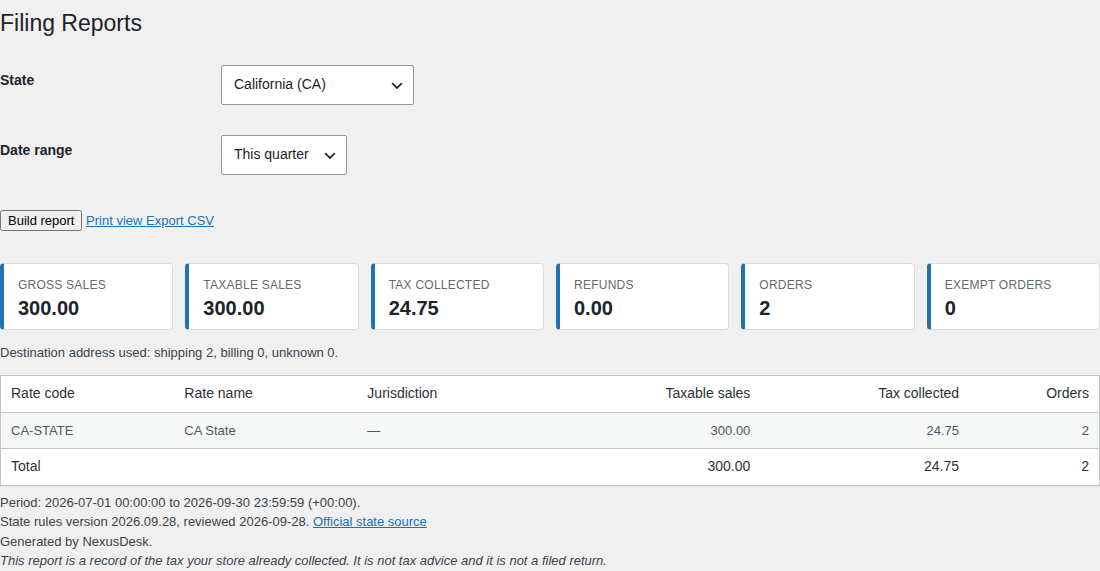
The free plugin is the whole single-state report. Choose a state and a date range — this quarter, last quarter, this year, last year, or a custom range — and NexusDesk reads the orders through the WooCommerce API and separates gross sales, taxable sales, tax collected, order count, refunds and exempt orders. Every figure is grouped by tax rate code and rate name, and the screen shows which destination address was used per order so a bookkeeper can audit it. Export the CSV, or print the one-page summary.
Where the numbers come from
NexusDesk ships a versioned rules table covering every US sales-tax state and DC. Each entry carries the official state revenue-department source URL and the date it was reviewed, and the screen shows both next to the report. Every threshold and measurement period is overridable with the nexusdesk_state_rules filter, so you never have to take the bundled numbers on trust.
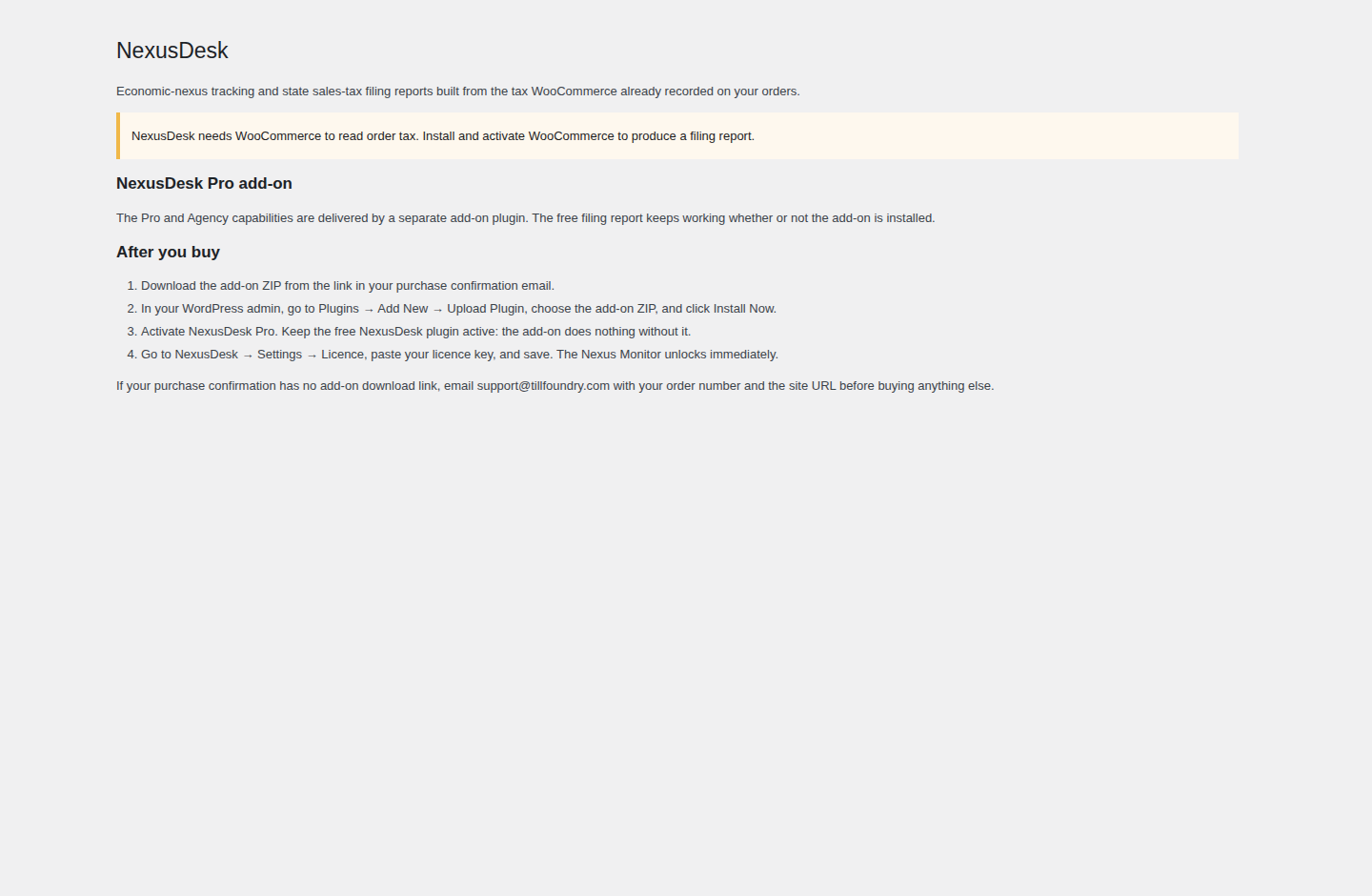
No external tax API is contacted. Orders are read through the WooCommerce CRUD API (wc_get_orders and the WC_Order getters), so behaviour is identical with HPOS enabled or disabled and no plugin code reads the posts tables. NexusDesk activates safely on a site without WooCommerce and shows an admin notice instead of fataling, registering no report screen, no order hook and no REST route until WooCommerce is present. And no order, customer or tax data leaves your site.
Every state measured on its own test
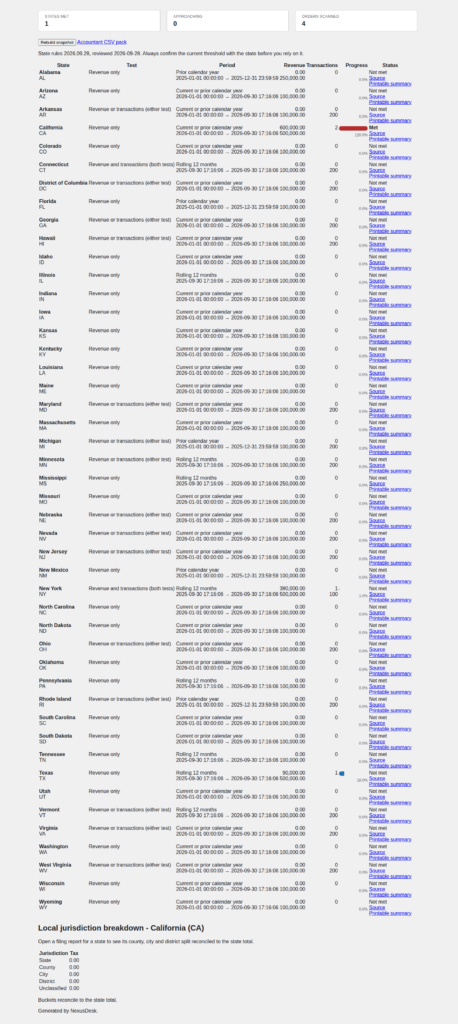
The Pro add-on turns that report into a multi-state nexus monitor. It applies each state’s real test — a revenue-only state is never triggered by a transaction count, and a state that uses a revenue-and-transactions test uses the combination the state publishes. It uses the correct measurement period for that state (calendar year, rolling twelve months, or prior calendar year), shows how close you are to each threshold, and emails you as one approaches.
Where local tax applies, Pro splits it into county, city and district buckets and reconciles them back to the state total, so every collected cent is accounted for and a rate code it cannot classify is surfaced rather than silently dropped. Subscription renewal orders can be included in the counts with a toggle, and the export pack adds a printable filing summary with audit totals.
What is free, what is Pro, and what is Agency
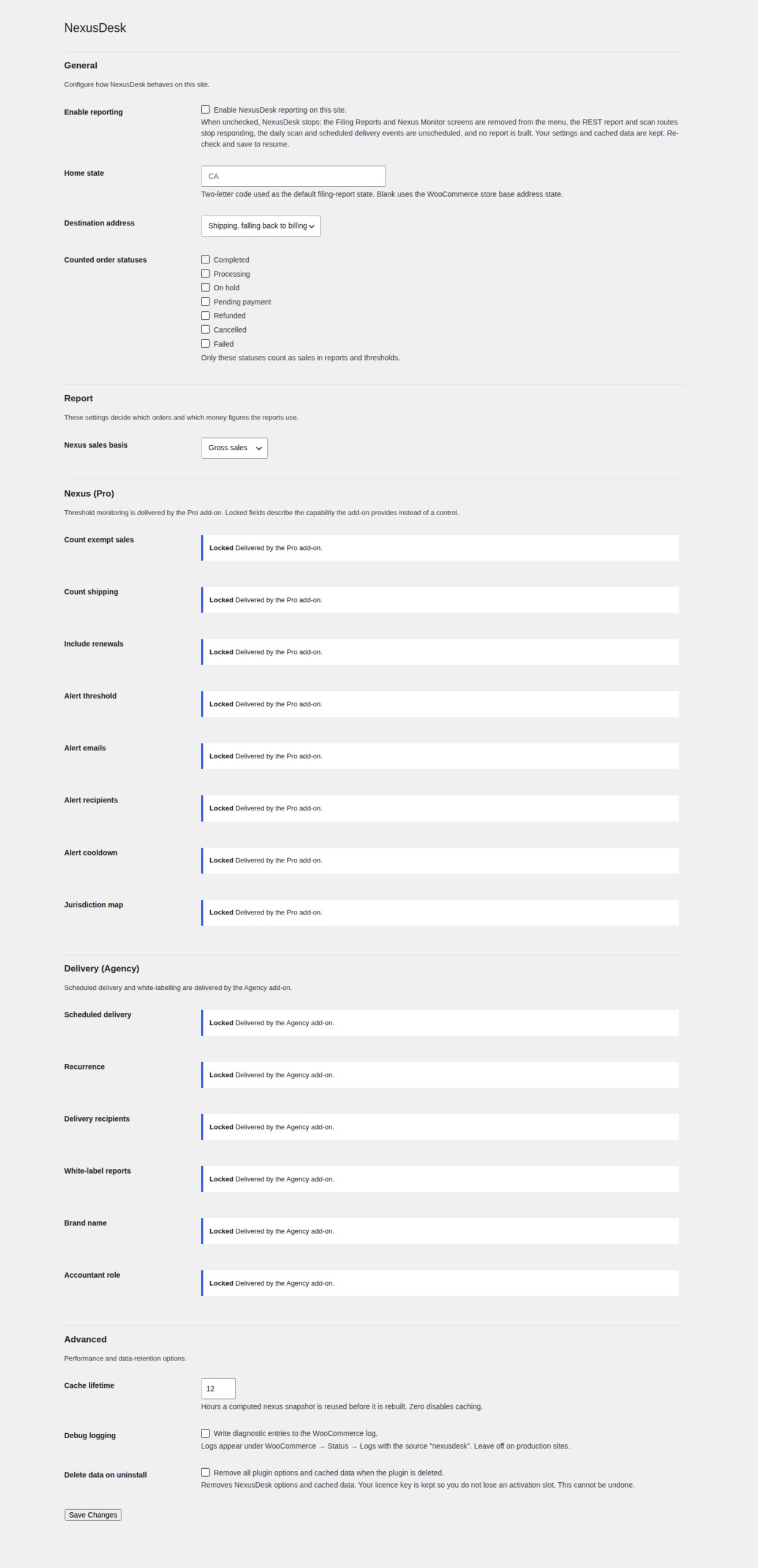
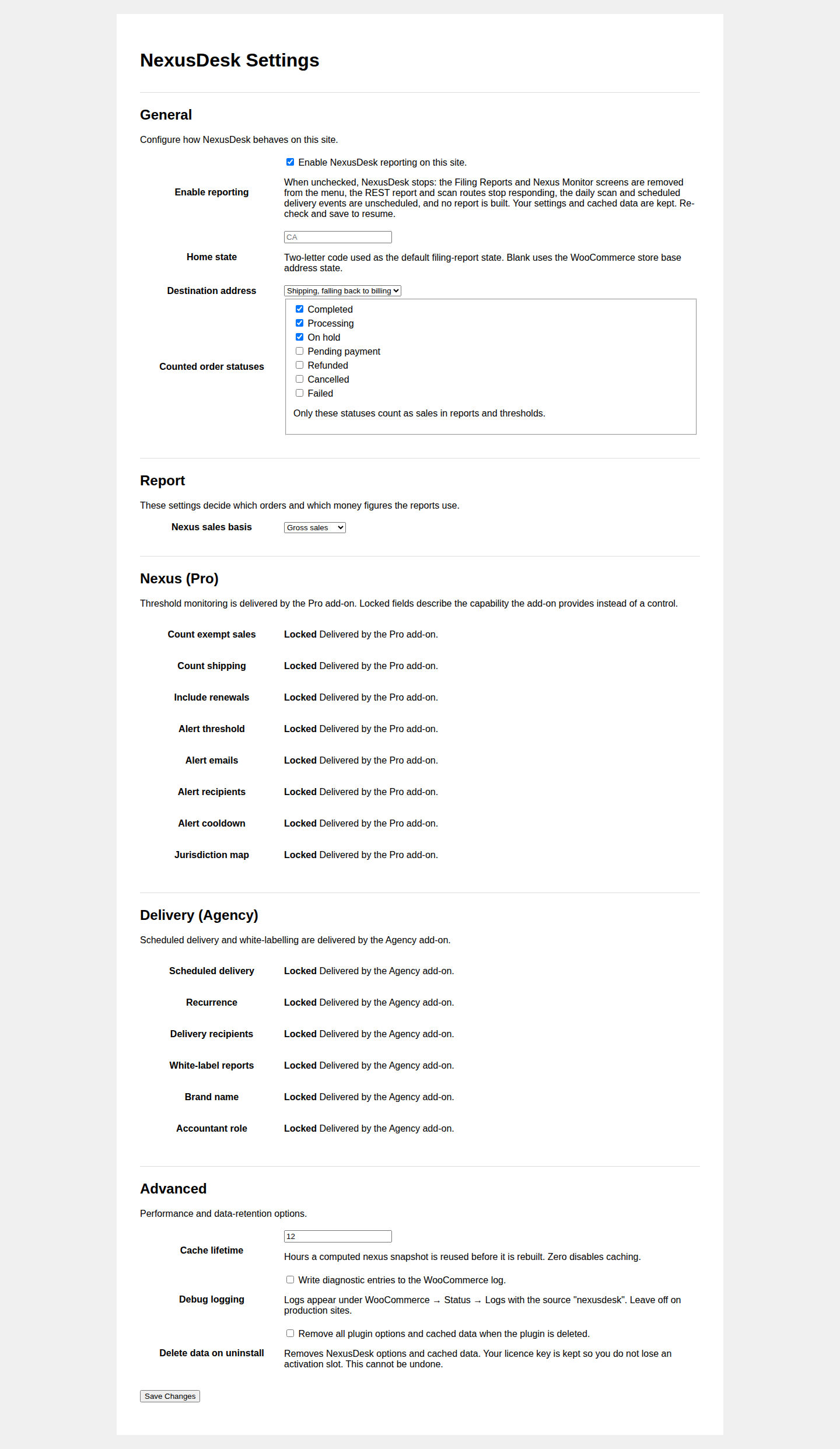
The free report is not a trial and nothing in it is withheld to force an upgrade. The paid capabilities ship in a separate add-on that you install alongside the free plugin; the free download contains none of that code.
Free — the complete single-state filing report
- Single-state filing report: gross sales, taxable sales, tax collected, order count and refunds, grouped by tax rate code and rate name.
- Refunds, cancelled and failed orders, and exempt or zero-rated orders separated and excluded from the taxable base.
- CSV export and a one-page print view.
- A bundled state-rules table with an official source URL and a review date for every state.
Pro — the multi-state monitor (separate add-on)
- Multi-state economic-nexus dashboard that applies each state’s real test: revenue-only states are never triggered by transaction count, and revenue-plus-transaction states use the correct combination.
- The correct measurement period per state (calendar year, rolling twelve months, prior calendar year) with progress against each threshold and email alerts as a threshold approaches.
- County, city and district/special-district breakdown for home-rule states, reconciled to the state total.
- WooCommerce Subscriptions renewal orders included in the thresholds and reports, with a toggle to exclude them.
- Accountant-ready per-state export pack: CSV plus a printable filing summary with audit totals.
Agency — for agencies and multi-store operators (separate add-on)
- Multisite network roll-up: one screen showing every store’s nexus position, without mixing currencies or one site’s data into another.
- Per-client filing report packs with scheduled email delivery.
- White-labelled reports that remove the plugin’s branding from exported and emailed reports.
- Role-based read-only accountant access through a dedicated capability.
How it works
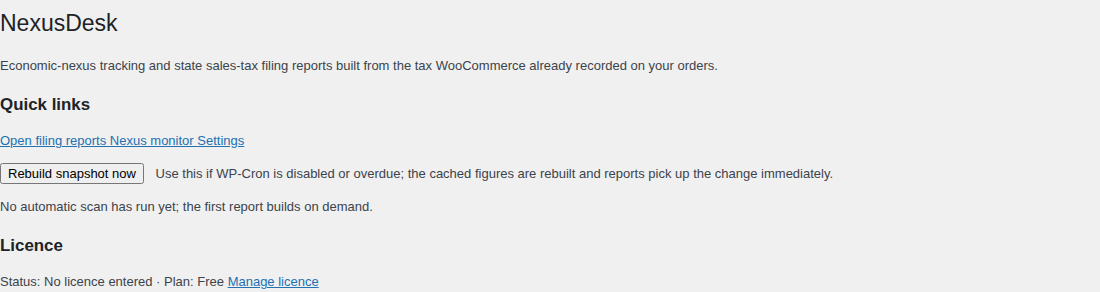
- Install and activate NexusDesk. Your WooCommerce order tax is already there: there is nothing to recalculate and no external service to configure.
- Open NexusDesk → Filing Reports and choose a state and a date range.
- NexusDesk reads the orders in that range through the WooCommerce API, resolves the destination state, and separates gross sales, taxable sales, tax collected, refunds and exempt orders by rate code.
- Export the CSV or print the summary and hand it to your bookkeeper.
- For the multi-state view, install the separate Pro add-on and enter a licence key: the Nexus Monitor evaluates every state on its own test and measurement period, caches the snapshot, and emails you as a threshold approaches.
Requirements
- WordPress 6.0 or higher.
- PHP 7.4 or higher.
- WooCommerce active at runtime. NexusDesk does not declare a hard Requires Plugins header, so it activates safely without WooCommerce and shows an admin notice instead of failing; it registers no report screen, order hook or REST route until WooCommerce is present.
- HPOS compatible: orders are read through the WooCommerce CRUD API, never the posts tables.
- WooCommerce Subscriptions is optional; when it is active, Pro can include renewal orders in the counts.
What it costs
The filing report is free — free forever, with no key and no time limit, and nothing withheld to force an upgrade. The free plugin has no WordPress.org listing, so the version you download from this page is the version you have; a later release is published on this page for you to download again.
If you need more, the paid capabilities ship in a separate add-on, not as locked code in the free download. Pro is $59 per year and covers 3 site activations. Agency is $99 per year and covers 10. Both are annual from your order date and include updates and support for the term. When a licence lapses, the paid features stop and the Nexus Monitor returns to an upsell, but your cached reports are not destroyed and your free filing reports keep working exactly as before.
Questions buyers ask
Does it work with HPOS?
Yes. Orders are read through the WooCommerce CRUD API (wc_get_orders and the WC_Order getters), never through the posts tables, so behaviour is identical whether HPOS is enabled or disabled. NexusDesk declares compatibility with custom order tables on WooCommerce → Status → Compatibility.
Does it need WooCommerce?
Yes at runtime. NexusDesk reads WooCommerce orders and their taxes. It does not declare a hard Requires Plugins header, so it activates safely on a site without WooCommerce and shows an admin notice explaining what is missing instead of fataling.
What happens when my licence expires?
A Pro or Agency licence is annual, measured from the order date. When it expires, the paid add-on’s features stop and the Nexus Monitor returns to an upsell, while your free filing reports keep working exactly as before. Renewing restores the paid features, and nothing you have cached is destroyed.
Does the free version stop working?
No. It has no time limit and needs no key. The single-state filing report, refund and exemption handling, per-rate grouping, CSV export and print view are free forever.
Does any of my data leave the site?
No order, customer or tax data is sent anywhere: reports are built and cached in your own database. The only outbound request is the licence check described under About the licence, and it carries no report data.
Can I use it on client sites?
Yes. A Pro licence covers 3 site activations; an Agency licence covers 10 and adds the multisite network roll-up, scheduled per-client report packs, white-labelled reports, and a read-only accountant role you can hand to a client’s bookkeeper. The plugin is GPL, so you can install and modify it on the sites your licence covers.
Where do the thresholds come from?
From the bundled rules table, which cites each state’s official revenue-department page and its review date. Every value is overridable with the nexusdesk_state_rules filter, and the review date is shown on screen so you can see how current the data is.
Does it file my return, or is it tax advice?
No to both. NexusDesk produces a report of the tax your store already collected and shows the figures a state expects. It does not calculate tax at checkout, does not file, e-file, remit or pay a return, and is not tax advice. Always confirm a state’s current threshold with the state.
Do you offer refunds?
Licences are sold through this store and its refund terms apply. If NexusDesk does not work as described on this page, email [email protected] and we will help you get it working; if it still is not right, ask for a refund under the store’s terms.
How do I get updates?
The free plugin is the version you download from this page, and a later release is published on this page for you to download again. The paid add-on checks the TillFoundry licence server for its own updates while your licence is active.
About the licence
A Pro or Agency licence is annual and lasts 365 days from the order date. Pro is $59 per year and covers 3 site activations; Agency is $99 per year and covers 10. Both include updates and support for the term. The free plugin needs no key.
The paid capabilities are delivered by the separate NexusDesk Pro add-on, which you install alongside the free plugin. The add-on checks the TillFoundry licence server for its own updates while the licence is active. The free plugin has no WordPress.org listing, so it is not updated from the WordPress.org directory: the version you download from this page is the version you have, and newer releases appear on this page.
When a key is entered, the licence server records the key, your site URL and home URL, the plugin slug and version, the WordPress and PHP versions, whether the site is multisite, the site locale, and the request IP address. It uses that to activate and validate the licence and to serve add-on updates. No order, customer or tax data is involved.
NexusDesk is a reporting and monitoring tool. It does not calculate tax at checkout, does not file, e-file, remit or pay a return, and is not tax advice. Always confirm a state’s current threshold with the state; the bundled rules table shows its source and review date and every value is overridable.
NexusDesk — Economic Nexus & Sales Tax Filing Reports for WooCommerce is free. Pro ($59) and Agency ($99) add 9 more capabilities.
The free plugin works on its own — nothing here is a trial, and nothing switches off when a licence is missing. What the paid tiers add:
- Multi-state economic-nexus dashboard that applies each state’s real test: revenue-only states are never triggered by transaction count, and revenue-plus-transaction states use the correct combination.
- The correct measurement period per state (calendar year, rolling twelve months, prior calendar year) with progress against each threshold and email alerts as a threshold approaches.
- County, city and district/special-district breakdown for home-rule states, reconciled to the state total.
- WooCommerce Subscriptions renewal orders included in the thresholds and reports, with a toggle to exclude them.
- Accountant-ready per-state export pack: CSV plus a printable filing summary with audit totals.
- Multisite network roll-up: one screen showing every store’s nexus position, without mixing currencies or store data.
- Per-client filing report packs with scheduled email delivery.
- White-labelled reports that remove the plugin’s branding from exported and emailed reports.
- Role-based read-only accountant access through a dedicated capability.
Reviews
There are no reviews yet.