
Description
Shoppers read reviews before they buy, but WooCommerce shows a product’s reviews in exactly one place — that product’s own page. A visitor who lands on your homepage, a category page or an ad landing page never sees the proof your customers already wrote. That is the most persuasive content your store owns, invisible at the moment it would close the sale.
Copying quotes into pages by hand goes stale the moment a review is edited, and a flat comment list cannot be filtered by product, rating or status.
Your reviews, wherever the sale happens
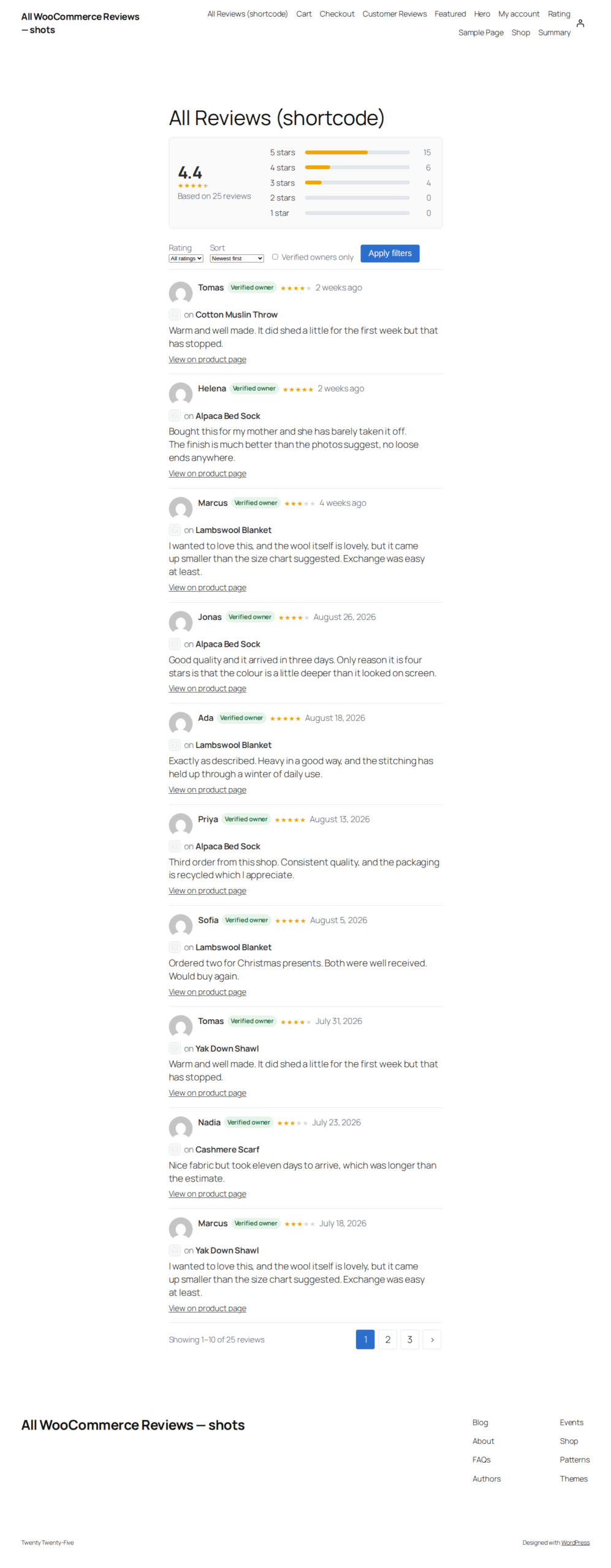
TillFoundry All Product Reviews gathers every approved product review into one design and renders it wherever you put the [all_reviews] shortcode — a page, a post or a widget — or through six blocks in the block editor. Every review shows an avatar, author, star rating, a Verified owner badge, the product it belongs to and its date, newest first. A rating summary carries the average and a clickable 1–5 star distribution, and the filter bar — rating, sort, verified owners, photos and optional search — works with JavaScript switched off.
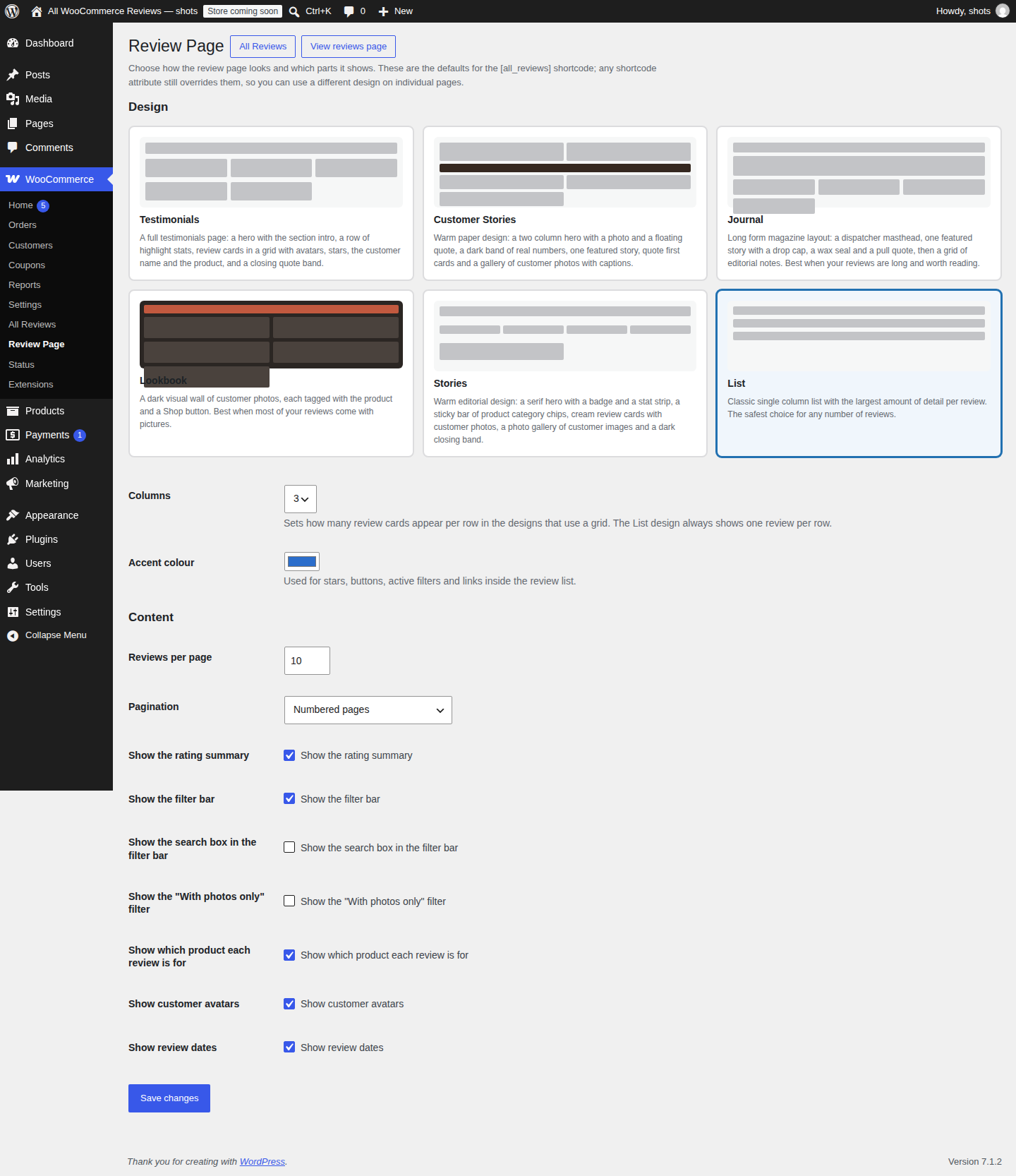
Six designs, chosen once
Pick a design in the Review Page settings and every shortcode on the site uses it: Customer Stories, Journal, Lookbook, Stories, Testimonials or the classic List. Each is a real layout with a job — a photo wall for stores whose customers send pictures, a magazine page for reviews worth reading at length, a compact list with the most detail per review. A single shortcode can still override the saved design, and every component can be switched off on its own.
Build it in the block editor
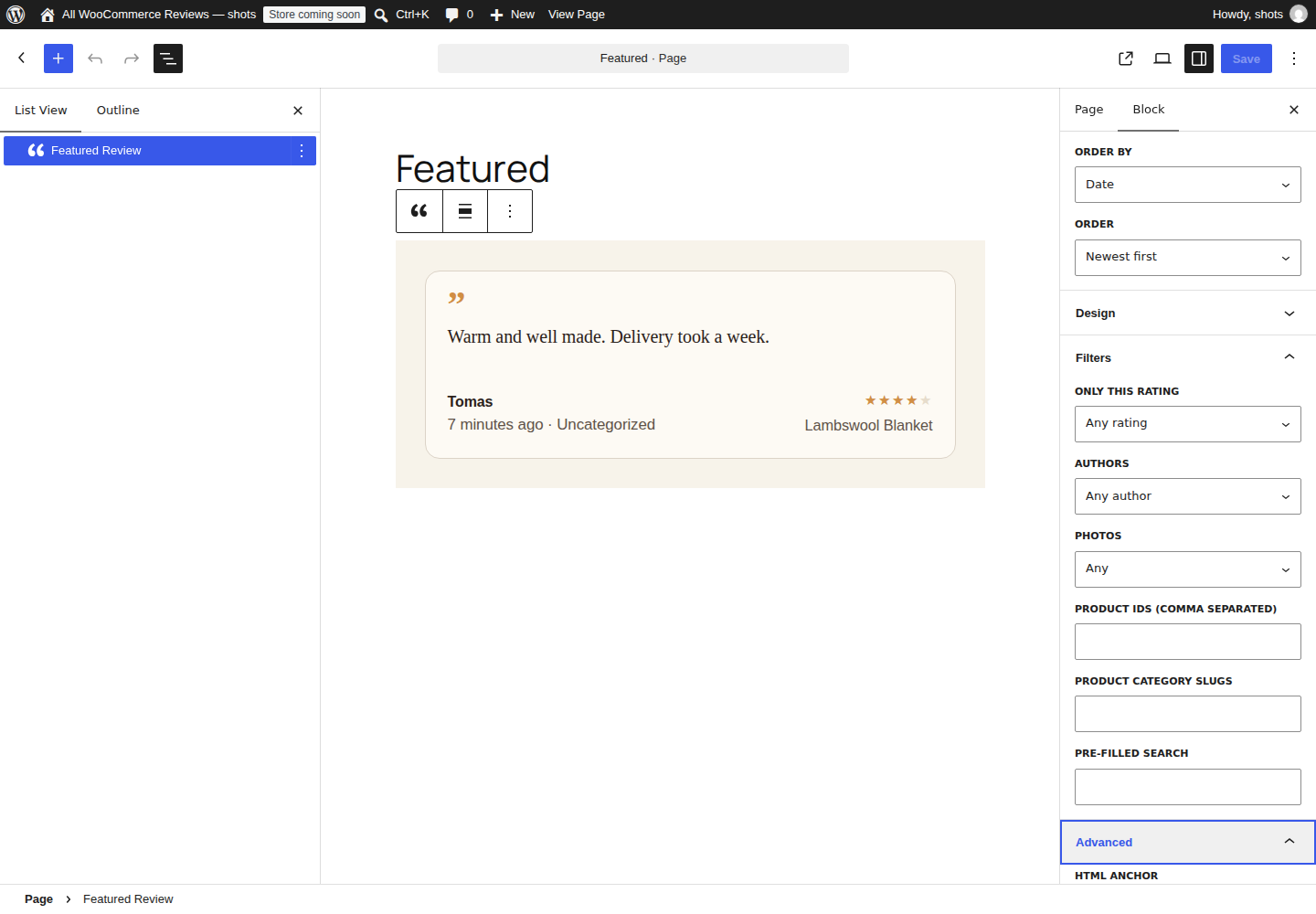
Six blocks cover the same ground in the editor: Customer Reviews (the full list), Reviews Hero, Featured Review, Review Rating Summary, Review Rating and the Photo Review Form. The preview is rendered by the server, so what you see is what the page outputs. Each block has Layout, Colours and Size & spacing panels plus a Show or hide panel, and styles are hex-only with clamped sizes, so a value cannot escape its declaration.
Collect photo reviews, free
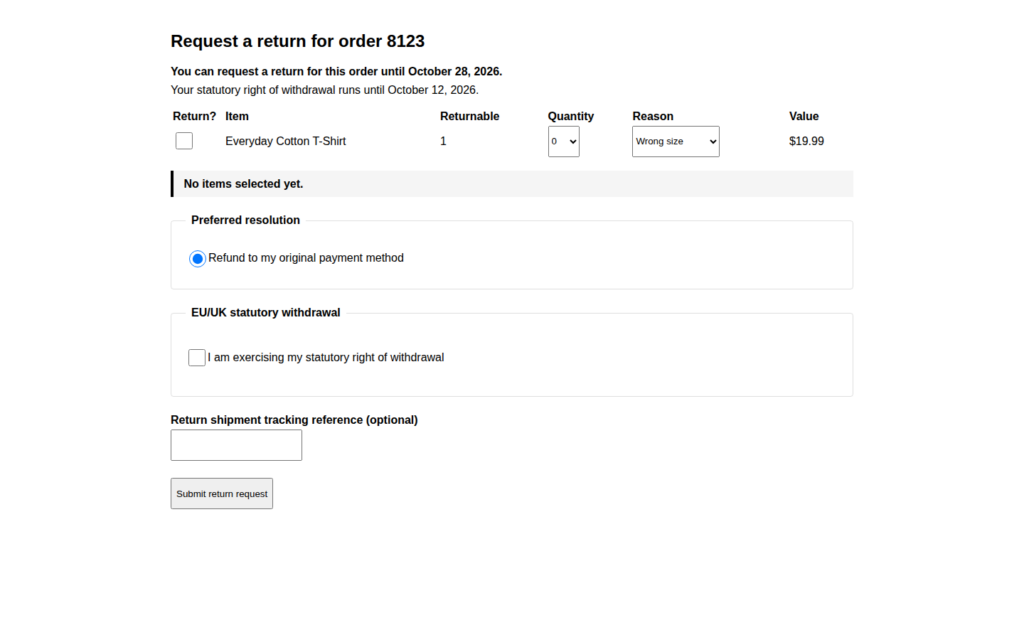
The Photo Review Form block ships in this build at no charge. Customers leave a rating, a written review and up to four photos; uploads are stored in your own media library, linked to the review and shown in the same templates and lightbox as imported media. Submitted reviews enter the normal moderation queue, so nothing appears on the front end until you approve it. Switch collection off with the tillapr_feature_can filter if your theme already provides a review form.
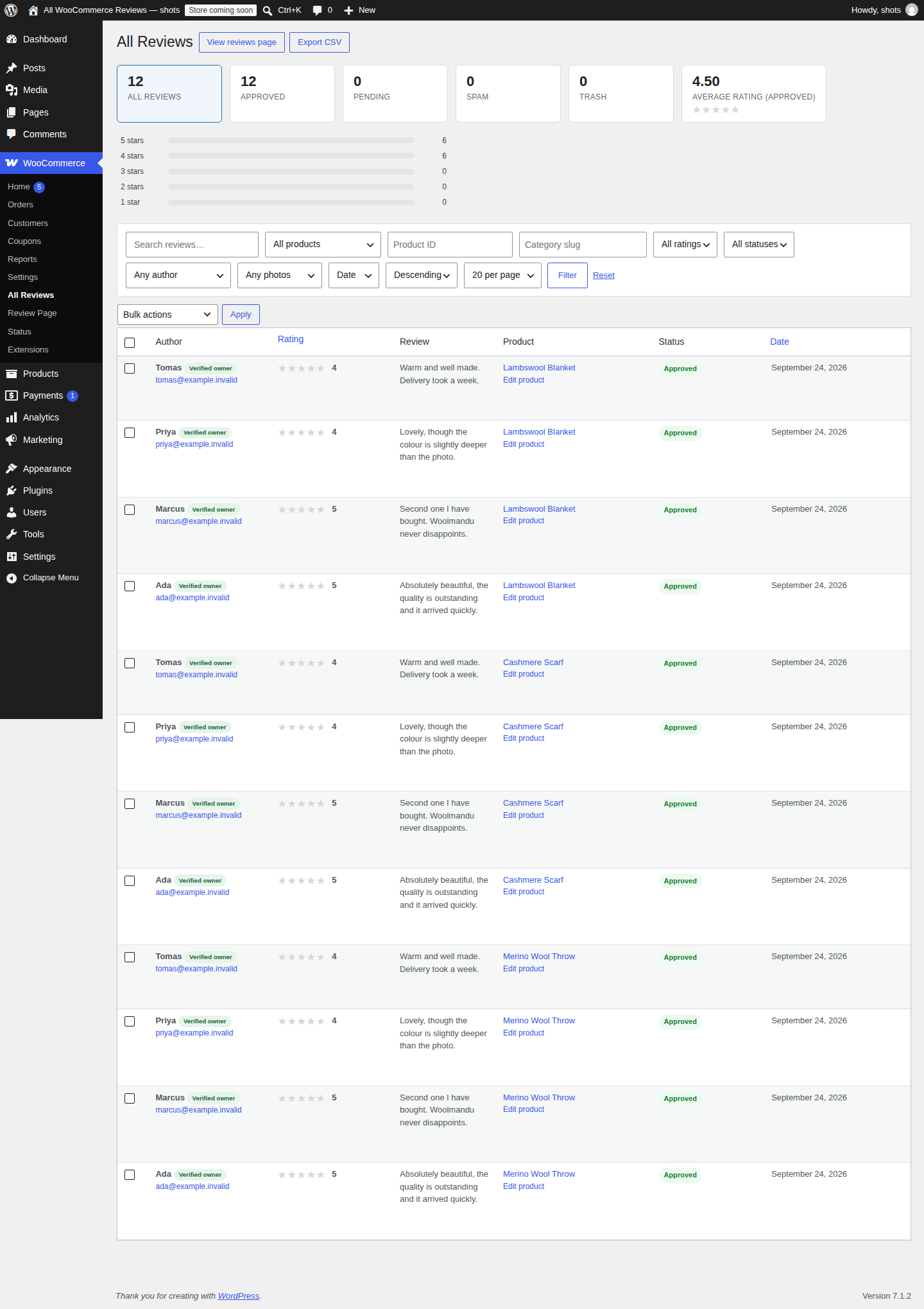
Moderate every review from one screen
The All Reviews admin screen replaces the flat comment list with summary cards for all, approved, pending, spam and trash reviews plus the average rating; filters for search text, product, product ID, category, rating, status, verified owners and sort order; bulk approve, hold, spam, trash, restore and delete with per-review row actions; photo thumbnails and a with-photos / without-photos filter; and a CSV export of the current selection of up to 20,000 rows per download, including photo URLs.
What you get
Every feature below ships in this build, at no charge.
Display
- One
[all_reviews]shortcode for any page, post or widget, plus six blocks for the block editor. - Six designs — Customer Stories, Journal, Lookbook, Stories, Testimonials and List — chosen once for the whole site.
- A rating summary with the average score and a clickable 1–5 star distribution.
- A filter bar for rating, sort order, verified owners, photos and optional search, working without JavaScript.
- Numbered pagination, an AJAX Load more button or no pagination at all.
- Seeded random sorting that never repeats or skips a review while paging, pinnable with
seed="1234". - Editor controls for colours, type scale, spacing, corner radius, photo and avatar sizes, and masonry or aligned card rows.
- Every component individually hideable, so a page can show a bare list of quotes or a full editorial spread.
Reviews and media
- A free Photo Review Form block that collects a rating, a written review and up to four photos per customer, on by default and switchable off.
- Uploads are stored in your own media library and linked to the review through the
reviews-imagescomment meta; nothing is sent to us. - Photos and videos a compatible collection tool has already stored are displayed automatically, as thumbnails that open in a keyboard-accessible lightbox.
- Attachment IDs and plain image URLs both render, so imported marketplace reviews work too, and supported YouTube, Vimeo and Dailymotion links open in the same lightbox. Each provider is contacted only when a visitor opens that video.
- The
tillapr_review_images_meta_keyfilter for a tool that uses a different meta key.
Moderation and export
- The All Reviews admin screen with summary cards and filters for search, product, product ID, category, rating, status, verified owners and sort order.
- Bulk approve, hold, spam, trash, restore and delete, plus per-review row actions and a link to the native comment editor.
- Photo thumbnails and a with-photos / without-photos filter.
- CSV export of the current selection, up to 20,000 rows per download, including photo URLs.
For developers
- Template functions
tillapr_get_reviews_html()andtillapr_reviews(), plus template partials a theme can override fromyour-theme/all-product-reviews/. - Documented CSS custom properties for theming a block or a whole design.
- Filters for the highlights row, the category list and the reviews query, with server-rendered block previews and no build step.
- WooCommerce HPOS compatibility declared, with the front-end query restricted to approved reviews of published products, including for AJAX requests.
TillFoundry builds small, focused WooCommerce plugins — if this one puts your reviews where they sell, the rest of the store is worth a look.
How it works
- 1. Install and turn it on. Install the ZIP through Plugins → Add New → Upload Plugin, or upload the plugin folder to
/wp-content/plugins/, then activate it. A page called "Customer Reviews" containing the[all_reviews]shortcode is created when you activate the plugin; switch that off with thetillapr_create_reviews_page_on_activatefilter. - 2. Choose a design. Open the Review Page settings and pick one of the six designs, the columns, the accent colour and which parts appear.
- 3. Place it. Add
[all_reviews]to any page, post or widget, add one of the six blocks, or calltillapr_reviews()from a theme template. - 4. Collect photos. Drop the free Photo Review Form block on a page so customers can send a rating, a review and photos. Media a compatible collection tool already stored appears automatically, with no configuration.
- 5. Moderate and export. Approve, hold, spam or trash reviews, filter by product or rating, and export the current selection to CSV from the All Reviews screen.
Requirements
| WordPress | 5.8 or higher (tested up to 7.1) |
| PHP | 7.4 or higher |
| WooCommerce | 5.0 or higher (tested up to 11.1). The plugin checks for WooCommerce at runtime and, when it is missing, shows a dismissible notice on the Plugins screen and stays inert instead of failing. |
| HPOS | Compatible with WooCommerce High-Performance Order Storage |
Is it really free?
Yes — the complete plugin, with no account, no key and no expiry. Every design, block, filter, the photo lightbox and the admin screen are included.
Do I need a photo-review tool?
No. The plugin collects photos itself through the free Photo Review Form block, and it also displays media a compatible collection tool has already stored in the reviews-images comment meta. Whatever is already there renders automatically; if you prefer to keep your theme’s own review form, switch collection off with the tillapr_feature_can filter.
Will it work with my theme?
Blocks use your theme’s editor styles, any file in templates/ can be copied into your-theme/all-product-reviews/, and each block exposes documented CSS custom properties for deeper changes.
Will it slow my store down or phone home?
Rating aggregates are cached and invalidated automatically when a review changes. The plugin sends no analytics or telemetry and makes no outbound request to TillFoundry.
Where is my data stored?
In your own WordPress database and media library, and nowhere else. Reviews, ratings and submitted photos stay on your site. The only external requests are made by the visitor’s own browser: default avatars come from WordPress’s Gravatar service (the hashed author email, the visitor’s IP address and browser user agent), and opening a video in the lightbox loads that provider’s player (the visitor’s IP address, user agent and referrer). Avatars can be turned off in the settings.
Does it need WooCommerce?
Yes for reviews. Add the plugin first if you like: when WooCommerce is missing it shows a dismissible notice on the Plugins screen and stays inert instead of failing.
Can I use it on client sites?
Yes — there is no per-site limit, so install it on as many sites as you manage, including client sites.
What about HPOS?
Declared compatible. The plugin only reads reviews, which are WordPress comments.
Reviews
There are no reviews yet.